Best Intel Core i3 Mini PCs: 15 Spec-Based Picks
As an Amazon Associate we earn from qualifying purchases. Links on this page are affiliate links.
Finding the best Intel Core i3 mini PCs comes down to matching processor capability, memory, and physical connectivity to your daily workload. We compared 15 models strictly using specifications published on their listings. The Dell OptiPlex Micro Core i3 Desktop takes the top position because its quad-core processing, 8GB of RAM, and 256GB SSD provide dependable performance for everyday dual-monitor office multitasking.
This guide helps you decide which processor tier, memory capacity, and port selection fit your specific desktop setup.
Quick picks
The best fit for you
- You need a standard office desktop for daily desk multitasking Dell OptiPlex Micro Core i3 Desktop The quad-core Intel Core i3 processor with 8GB RAM and 256GB SSD handles standard daily office workloads.
- You need dual USB4 ports and high-speed multi-monitor connectivity GEEKOM Core i3 8-Core Mini PC Dual USB4 ports, 2.5Gb Ethernet, and an eight-core Core i3 processor support fast multi-display workstations.
- You want fast WiFi 6 and 2.5G wired networking GMKtec Core i3 WiFi 6 Mini PC Integrated WiFi 6 and a 2.5G LAN port pair with 16GB of RAM and a 512GB SSD.
- You want a completely silent mini PC running continuous workloads MINIX Fanless Intel i3 Mini PC Its fanless chassis pairs with an octa-core Core i3 processor, 16GB RAM, and a 512GB SSD.
Our 15 picks

Dell OptiPlex Micro Core i3 Desktop
Best for: everyday office multitasking on dual monitors
- Processor
- Intel Core i3 (what this guide is about)
- Installed RAM
- 8GB
- Storage Capacity
- 256GB
- Memory Type
- DDR4 2666MHz
- Operating System
- Windows 11
This Dell Optiplex micro desktop features a 9th Gen Intel Core i3-9100T quad-core processor running between 3.10GHz and 3.70GHz. You get 8GB of 2666MHz DDR4 memory paired with a 256GB PCIe solid-state drive and Windows 11 preinstalled. It suits you if you need a compact workstation equipped with six USB ports, HDMI 1.4, and DisplayPort 1.2 for basic multitasking, office tasks, and dual-monitor desk setups.
Pros
- Intel Core i3-9100T quad-core CPU with speeds up to 3.70GHz
- Six total USB ports including four USB 3.1 connectors
- Dual video outputs via HDMI 1.4 and DisplayPort 1.2
- Comes with Windows 11 preinstalled
Cons
- 256GB SSD offers limited onboard storage capacity
- Includes non-original refurbished accessories and packaging
- 8GB RAM may limit heavy multi-application workloads
Good fit if
- You need a quad-core Core i3 mini PC for daily office workflows.
- You connect multiple peripherals via USB 3.1 and USB 2.0 ports.
- You use dual monitors with DisplayPort and HDMI inputs.
Skip if
- You require more than 256GB of local SSD storage out of the box.
- You prefer a brand-new factory-sealed machine with original accessories.
Verdict: Dell Optiplex Micro Core i3 PC provides quad-core processing and ample USB connectivity for standard desk work. It delivers practical everyday performance if 8GB of memory and 256GB of storage fit your workspace requirements.

Dell OptiPlex Micro PC 16GB RAM
Best for: general office work and multi-tab browsing
- Processor
- Intel Core i3 (what this guide is about)
- Installed RAM
- 16GB
- Storage Capacity
- 256GB
- Memory Type
- DDR4
- Graphics
- Intel UHD Graphics 630
- Ethernet Ports
- 1 x RJ45 (Gigabit)
This renewed compact desktop gives you an Intel Core i3-8100T quad-core processor running at 3.10 GHz, paired with 16GB of DDR4 memory and a 256GB NVMe SSD. It comes with Windows 11 Pro preinstalled and includes six USB-A ports alongside Gigabit Ethernet, HDMI 1.4, and DisplayPort 1.2. It suits you if you need a dependable small-footprint machine for everyday office tasks and multitasking.
Pros
- 16GB DDR4 memory handles multitasking
- Four-core Intel Core i3-8100T processor with 6MB cache
- Six USB-A ports, Gigabit Ethernet, HDMI 1.4, and DisplayPort 1.2
- Windows 11 Pro operating system installed
- 256GB M.2 NVMe solid-state drive
Cons
- 256GB storage capacity is limited for large file archives
- No USB-C ports on the chassis
- Display output limited to HDMI 1.4 and DisplayPort 1.2 standards
Good fit if
- You want 16GB RAM for multitasking on a compact desktop.
- You need dual video outputs using HDMI and DisplayPort.
- You require Windows 11 Pro for office networking and tasks.
Skip if
- You require more than 256GB of local storage out of the box.
- You need modern USB-C ports for your peripherals.
Verdict: Dell Optiplex Micro Core i3 PC delivers a 4-core processor, 16GB DDR4 RAM, and Windows 11 Pro in a space-saving chassis. It provides solid everyday computing and dual-monitor connectivity for desktop setups.

GMKtec Core i3 WiFi 6 Mini PC
Best for: fast networking and dual-monitor office workflows
- Processor
- Intel Core i3 (what this guide is about)
- Installed RAM
- 16GB
- Storage Capacity
- 512GB
- Memory Type
- DDR4
- Graphics
- Intel Graphics
- Ethernet Ports
- 1x 2.5GbE
This GMKtec mini PC runs on an Intel Core i3-10110U processor paired with 16GB of dual-channel DDR4 RAM and a 512GB M.2 SSD. It features modern networking with WiFi 6 and a 2.5GbE LAN port, alongside two HDMI 2.0 outputs for dual 4K displays at 60Hz. If you need a compact system for office multitasking, web browsing, or home server roles with fast wired and wireless connections, this desktop fits your workflow.
Pros
- WiFi 6 wireless connectivity and 2.5GbE Ethernet port
- 16GB dual-channel DDR4 RAM and 512GB M.2 SSD
- Dual HDMI 2.0 outputs supporting 4K at 60Hz
- Secondary M.2 2242 SATA expansion slot
Cons
- No USB-C ports listed in the specifications
- Secondary storage slot restricted to M.2 2242 SATA
- WiFi 6 transfer rate specified up to 600Mbps
Good fit if
- You want fast networking via 2.5GbE LAN and WiFi 6.
- You plan to run two 4K screens at 60Hz over HDMI.
- You need server features like Wake on LAN and Auto Power On.
Skip if
- You require USB-C ports for modern peripherals or display output.
- You need NVMe speeds for your secondary storage drive.
Verdict: GMKtec Core i3 WiFi 6 Mini PC offers strong wireless and wired networking alongside dual 4K monitor support. It provides dependable baseline performance for everyday office tasks and home server use.

Bmax Core i3 Mini PC
Best for: compact triple-display home and office use
- Processor
- Intel Core i3 (what this guide is about)
- Installed RAM
- 12GB
- Storage Capacity
- 512GB
- Memory Type
- LPDDR4
- Ethernet Ports
- Gigabit Ethernet
- Operating System
- Win 11 Pro
The BMAX Core i3 Mini PC is a compact desktop running Windows 11 Pro. It pairs an Intel Core i3-1000NG4 processor with 12GB of LPDDR4 RAM and a 512GB NVMe SSD. You get Wi-Fi 5, Gigabit Ethernet, and support for up to three 4K monitors using dual HDMI and Type-C outputs. At 10.6 ounces, it fits well if you need an everyday home theater or office workstation.
Pros
- 12GB LPDDR4 RAM and 512GB NVMe SSD
- Triple 4K display support via dual HDMI and USB Type-C
- Smart fan keeps operating noise under 30dB
- Compact 10.6-ounce chassis with included VESA mount
Cons
- Limited to Wi-Fi 5 and Bluetooth 4.2 wireless connectivity
- Processor clock speeds cap at 3.2GHz
Good fit if
- You need triple 4K display output for your workspace.
- You want quiet operation under 30dB for an office or media room.
- You prefer 12GB of RAM and a 512GB NVMe SSD pre-installed.
Skip if
- You need Wi-Fi 6 or newer Bluetooth standards.
- You require processor boost speeds exceeding 3.2GHz.
Verdict: BMAX Core i3 Mini PC provides balanced daily computing with 12GB RAM and triple 4K display capability. Its quiet 15W design makes it a practical pick for media streaming and general productivity.

GEEKOM Core i3 8-Core Mini PC
Best for: multi-display productivity and fast networking
- Processor
- Intel Core i3 (what this guide is about)
- Installed RAM
- 16GB
- Storage Capacity
- 256GB SSD
- Ethernet Ports
- 2.5Gb Ethernet
- High-Speed Expansion
- Dual USB4
- Memory
- 16GB RAM
The GEEKOM Intel Core i3 Mini Desktop gives you an 8-core, 12-thread Intel Core i3-12300HE processor, 16GB of DDR4 memory, and a 256GB NVMe SSD inside a compact 1.9-inch tall chassis. Its dual USB4 ports and dual HDMI outputs let you run up to four displays simultaneously. With built-in 2.5Gb Ethernet and WiFi 6E, it suits you if you need reliable multi-screen office productivity and fast data transfers.
Pros
- Intel Core i3-12300HE processor with 8 cores and 12 threads
- Dual USB4 ports supporting 40Gbps transfers and 8K video
- Supports up to four external displays via HDMI and USB4
- 2.5Gb Ethernet and WiFi 6E for high-speed network connections
Cons
- Base internal storage capacity is limited to 256GB
- Uses DDR4 memory instead of newer DDR5
Good fit if
- You need high-bandwidth connectivity with dual USB4 and 2.5Gb Ethernet.
- You run up to four displays from a single compact desktop.
Skip if
- You need more than 256GB of internal storage immediately without upgrading.
- You require DDR5 system memory for your specific software workloads.
Verdict: GEEKOM Intel Core i3 Mini Desktop delivers modern connectivity with dual USB4 ports and 2.5Gb Ethernet for demanding multi-monitor workflows. Its 8-core processor and extensive expansion headroom make it a capable desktop despite modest base storage.

ACEMAGIC Ryzen R2544 Mini PC
Best for: triple-display office setups and multi-monitor productivity
- Processor
- Intel Core i3 (what this guide is about)
- Installed RAM
- 16GB
- Storage Capacity
- 256GB
- Memory Type
- DDR4
- Graphics
- AMD Radeon Graphics
- Ethernet Ports
- Gigabit Ethernet
The ACEMAGIC compact desktop gives you an AMD Ryzen R2544 processor paired with 16GB of DDR4 memory and a 256GB solid-state drive. You get triple-display support driving up to 4K resolutions at 60Hz across HDMI, DisplayPort, and USB-C connections. Measuring 5.04 inches square, this system suits you if you need a compact workspace setup for office multitasking, media streaming, and everyday productivity without taking up desk space.
Pros
- Triple 4K display output via HDMI 2.0, DisplayPort 1.4, and USB-C
- 16GB DDR4 RAM expandable up to 32GB across two SO-DIMM slots
- Seven total USB ports including three 10Gbps connections
- Compact 5.04 by 5.04 inch footprint with included VESA mount
Cons
- Base internal storage capacity is limited to 256GB
- Uses older WiFi 5 and Bluetooth 4.2 wireless standards
- Single standard Gigabit Ethernet port rather than 2.5GbE
Good fit if
- You need to drive up to three 4K monitors simultaneously.
- You want a small desktop that mounts behind a monitor using VESA brackets.
- You plan to upgrade internal storage up to 4TB or memory up to 32GB later.
Skip if
- You require modern WiFi 6 or updated Bluetooth 5 protocols.
- You need more than 256GB of storage without adding extra drives.
Verdict: ACEMAGIC Compact Mini PC 16GB RAM delivers versatile triple-display outputs and expandable memory inside a small desktop footprint. It offers a solid array of high-speed USB ports for everyday office multitasking.
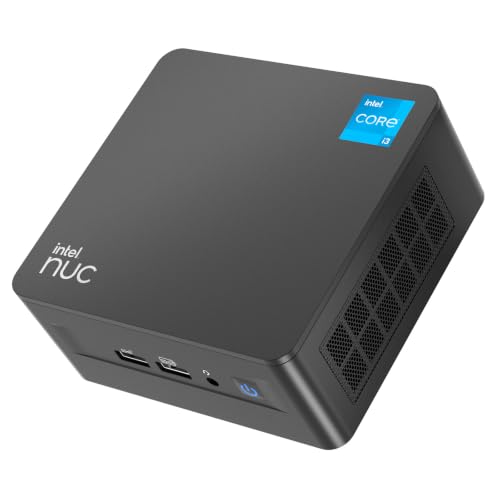
Geekplus Intel NUC 13 Pro Core i3 Mini PC
Best for: Thunderbolt connectivity and high-speed networking
- Processor
- Intel Core i3 (what this guide is about)
- Installed RAM
- 8GB
- Storage Capacity
- 512GB
- Memory Type
- DDR4
- Graphics
- Intel UHD Graphics
- Ethernet Ports
- 10/100/1000/2500 Mbps RJ45
This compact desktop gives you a 13th Gen Intel Core i3-1315U processor featuring six cores and eight threads. It comes equipped with 8GB of DDR4 memory and a 512GB NVMe SSD, alongside fast connectivity options like Thunderbolt 4 and 2.5Gbps Ethernet. You can drive multiple external monitors across its HDMI and Thunderbolt ports. It suits you if you need modern high-speed ports, multi-display support, and expandable hardware options.
Pros
- Intel Core i3-1315U processor with 6 cores and 8 threads
- Thunderbolt 4 support alongside dual HDMI 2.1 ports
- Fast networking with 2.5Gbps Ethernet and Wi-Fi 6E
- Expandable memory up to 64GB DDR4 and room for a 2.5-inch drive
Cons
- Ships with only 8GB of system memory pre-installed
- Weighs 3.65 pounds, heavier than many mini PC alternatives
Good fit if
- You need Thunderbolt 4 connectivity and 2.5Gbps wired networking.
- You plan to run up to four displays via HDMI and Thunderbolt.
- You want internal upgrade headroom for up to 64GB of RAM.
Skip if
- You require 16GB of memory straight out of the box.
- You want an ultra-lightweight mini PC under three pounds.
Verdict: Geekplus Intel NUC 13 Pro Mini PC delivers modern 13th Gen processing power, 2.5Gbps networking, and Thunderbolt 4 expansion in a compact form factor. It provides a reliable workstation base if you plan to upgrade memory and storage over time.

Origimagic Core i3 Dual Storage Mini PC
Best for: Dual-monitor Windows 10 or Linux setups
- Processor
- Intel Core i3 (what this guide is about)
- Installed RAM
- 8GB
- Storage Capacity
- 512GB SSD
- Memory Type
- DDR
- Graphics
- Intel HD Graphics 5500
- Ethernet Ports
- Gigabit Ethernet
This compact desktop features an Intel Core i3-5005U processor paired with 8GB of memory and a 512GB solid-state drive. You get dual HDMI video outputs that support resolutions up to 2560x1600 at 60Hz, alongside Gigabit Ethernet and Wi-Fi 5 connectivity. It suits you if you need a dedicated system for everyday office tasks, lightweight multitasking, digital signage, or a Linux-based home media server without high power draw.
Pros
- Dual HDMI ports supporting two displays at up to 2560x1600 resolution
- Expandable storage via an M.2 slot and an additional 2.5-inch SATA bay up to 4TB total
- RAM expandable from 8GB up to 32GB
- Multiple peripheral ports including front USB Type-C and dual USB 3.2 Gen 1
Cons
- Does not support Windows 11 operating systems
- Front USB Type-C port supports data only with no display capabilities
- HDMI output resolution tops out at 2560x1600 rather than 4K
Good fit if
- You plan to run Windows 10 or a Linux distribution.
- You need dual-drive storage expansion using M.2 and 2.5-inch SATA slots.
- You want a low-power 15W setup for digital signage or media serving.
Skip if
- You require an operating system running Windows 11.
- You need native 4K display output.
- You want display output or power delivery through the USB Type-C port.
Verdict: Origimagic Core i3 Dual Display Mini PC delivers steady everyday computing and flexible storage expansion for Windows 10 and Linux environments. Its dual display outputs and low-power profile make it a practical pick for basic workstations or continuous media server roles.

QAZIPO Core i3-8109U Mini PC
Best for: compact dual-display setups needing expandable storage
- Processor
- Intel Core i3 (what this guide is about)
- Installed RAM
- 12GB
- Storage Capacity
- 256GB
- Graphics
- Iris Plus 655
- Ethernet Ports
- Gigabit Ethernet
- Operating System
- Windows 11 Home
The QAZIPO Core i3-8109U 12GB Mini PC delivers desktop computing in a chassis measuring 4.9 by 4.4 inches. You get an Intel Core i3-8109U processor with a 28W TDP, paired with 12GB of RAM and Intel Iris Plus 655 graphics. Dual video outputs handle two 4K screens at once. Dual M.2 SSD slots allow storage upgrades up to 4TB, making it a practical fit for home offices and everyday multitasking.
Pros
- Intel Iris Plus 655 graphics with 128MB eDRAM
- Dual SSD slots supporting up to 4TB total storage
- Dual 4K display output via HDMI and DisplayPort
- Compact chassis measuring 4.9 by 4.4 by 1.3 inches
Cons
- No USB-C ports on the chassis
- Base storage starts at 256GB
Good fit if
- You need dual 4K display support across HDMI and DisplayPort.
- You want an open secondary M.2 slot to expand storage later.
- You plan to mount your system behind a monitor using VESA.
Skip if
- You rely on native USB-C connections for your peripherals.
- You need more than 256GB of storage out of the box.
Verdict: QAZIPO Core i3-8109U 12GB Mini PC balances Iris Plus graphics with dual-screen 4K support and dual M.2 drive expansion. It serves as a space-conscious desktop solution for daily productivity.

MSI Cubi 5 Core i3 Mini PC
Best for: dual-network office setups needing Thunderbolt 4
- Processor
- Intel Core i3 (what this guide is about)
- Installed RAM
- 16GB
- Storage Capacity
- 256GB
- Memory Type
- DDR4 SODIMM
- High-Speed Expansion
- Thunderbolt 4
- Operating System
- Windows 11 Pro
The MSI Cubi 5 Core i3-1215U Mini PC provides a compact desktop setup measuring 4.88 by 4.88 by 2.11 inches. Inside, you get a 6-core Intel Core i3-1215U processor paired with 16GB of DDR4 SODIMM RAM and a 256GB PCIe M.2 solid-state drive. It features Windows 11 Pro, dual RJ45 Ethernet jacks, and a Thunderbolt 4 port for high-speed devices. This suits you if you need multi-display output and wired networking.
Pros
- 6-core, 8-thread Intel Core i3-1215U processor
- Thunderbolt 4 port and four USB 3.2 Gen2 Type-A ports
- Dual RJ45 Ethernet ports for wired networking
- 16GB DDR4 SODIMM RAM preinstalled
Cons
- Internal storage capacity is limited to 256GB SSD
- Uses DDR4 memory instead of DDR5
Good fit if
- You need Thunderbolt 4 expansion for high-speed peripherals.
- You require dual RJ45 Ethernet connections for network routing.
- You want Windows 11 Pro preinstalled for remote desktop and management tools.
Skip if
- You need more than 256GB of local storage space without upgrades.
- You prefer systems equipped with newer DDR5 memory standard.
Verdict: MSI Cubi 5 Core i3-1215U Mini PC delivers strong connectivity with Thunderbolt 4, dual LAN ports, and 16GB RAM in a compact footprint. It provides a balanced hardware baseline for productivity workspaces requiring Windows 11 Pro.

Bmax Compact Core i3 Mini PC
Best for: dual-display office work and basic everyday multitasking
- Processor
- Intel Core i3 (what this guide is about)
- Installed RAM
- 12GB
- Storage Capacity
- 256GB
- Memory Type
- 1600MHz
- Graphics
- Intel Iris Plus Graphics 655
- Ethernet Ports
- 1Gbps Ethernet
This compact desktop pairs an Intel Core i3-8109U processor with 12GB of onboard memory and a 256GB M.2 SATA SSD. You get Intel Iris Plus Graphics 655 and dual 4K display outputs across HDMI 1.4 and DisplayPort 1.2. The chassis includes dual M.2 2280 slots for expanding storage up to 4TB. It suits you if you need a lightweight computer for office work, web browsing, and multi-monitor setups.
Pros
- Dual M.2 2280 slots supporting storage expansion up to 4TB
- Dual 4K video outputs via HDMI 1.4 and DisplayPort 1.2
- Compact chassis measuring 4.9 by 4.4 by 1.3 inches
- Pre-installed Windows 11 Pro with support for Linux
Cons
- Soldered 1600MHz onboard memory cannot be upgraded
- Included 256GB storage drive uses SATA rather than NVMe speeds
- Wireless connectivity relies on older WiFi 5 rather than WiFi 6
Good fit if
- You need a dual-monitor setup using DisplayPort and HDMI.
- You plan to add secondary M.2 2280 SSD storage.
- You want a lightweight chassis under 12 ounces for VESA mounting.
Skip if
- You require user-upgradeable system memory beyond 12GB.
- You need faster networking such as 2.5Gbps Ethernet or WiFi 6.
Verdict: BMAX Compact Core i3 Mini PC offers flexible dual-display outputs and dual M.2 drive bays in an ultra-compact footprint. It provides the essential connections and baseline performance needed for everyday office workflows.

ASUS Chromebox 5a Core i3 Mini PC
Best for: multi-monitor ChromeOS web productivity
- Processor
- Intel Core i3 (what this guide is about)
- Installed RAM
- 8GB
- Storage Capacity
- 128GB
- Operating System
- ChromeOS
- Memory
- 8GB RAM
- Dimensions
- 6.56 × 6.53 × 1.81 inches
The ASUS Chromebox 5a runs ChromeOS on an Intel Core i3-1315U processor with 8GB RAM and a 128GB PCIe NVMe SSD. For display setups, it supports up to four 4K screens using two HDMI ports, one DisplayPort, and one USB-C connection. It includes 2.5 Gbps Ethernet and Wi-Fi 6E for networking. This compact unit suits you if you rely on web applications, cloud storage, and multi-monitor productivity.
Pros
- Intel Core i3-1315U processor
- Supports up to four 4K displays via dual HDMI, DisplayPort, and USB-C
- 2.5 Gbps Ethernet and Intel Wi-Fi 6E
- Titan C security chip and Kensington lock slot
Cons
- Runs ChromeOS rather than Windows
- 128GB internal SSD capacity is limited
Good fit if
- You need ChromeOS for web-based applications and cloud workloads.
- You want to connect up to four 4K external monitors.
- You require 2.5 Gbps wired networking alongside Wi-Fi 6E.
Skip if
- You require Windows or Linux desktop operating systems.
- You need large local drive storage beyond 128GB.
Verdict: ASUS Chromebox 5a Intel Core i3 Mini PC delivers multi-monitor capability and high-speed networking in a dedicated ChromeOS environment. It is a practical fit when your tasks center on web tools and cloud services.

Pulcro.io Node Core i3 Mini PC
Best for: always-on smart home automation and local servers
- Processor
- Intel Core i3 (what this guide is about)
- Installed RAM
- 8GB
- Storage Capacity
- 512GB
- Graphics
- Intel UHD
- Ethernet Ports
- Gigabit
- Operating System
- Home Assistant OS
This compact unit comes with an Intel Core i3-1215U processor, 8GB of RAM, and a 512GB SSD. It arrives with Home Assistant OS preinstalled, making it tailored for local smart home management and continuous 24/7 operation. You can expand it up to 64GB of memory and 4TB of NVMe storage across dual slots. It suits you if you need a dedicated hub for automation and containers.
Pros
- Preinstalled Home Assistant OS for local smart home automation
- Intel Core i3-1215U 6-core processor
- Expandable up to 64GB RAM and 4TB storage across dual NVMe slots
- Triple 4K display support across HDMI, DisplayPort, and USB-C
- Includes VESA mounting kit and 3ft Ethernet cable
Cons
- Preinstalled with Home Assistant OS instead of a standard Windows desktop
- Base memory configuration is limited to 8GB of RAM
- Gigabit Ethernet port lacks multi-gigabit networking speeds
Good fit if
- You want a dedicated, always-on server with Home Assistant OS preinstalled.
- You plan to upgrade memory or storage later via dual SO-DIMM and NVMe slots.
- You need triple 4K display outputs for multi-screen setups.
Skip if
- You require a standard Windows desktop operating system out of the box.
- You need multi-gigabit wired networking speeds.
- You want more than 8GB of installed RAM without upgrading components yourself.
Verdict: Pulcro.io Node Core i3 Mini PC pairs an Intel Core i3-1215U with preinstalled Home Assistant OS, delivering an expandable platform built for 24/7 local smart home automation.

MINIX Fanless Intel i3 Mini PC
Best for: silent 24/7 office and media tasks
- Processor
- Intel Core i3 (what this guide is about)
- Installed RAM
- 16GB
- Storage Capacity
- 512GB
- Memory Type
- DDR4
- Graphics
- Intel UHD Graphics
- Operating System
- Windows 11 Pro
This MINIX unit is a fanless mini desktop powered by an octa-core Intel Core i3-N300 processor. It comes equipped with 16GB of DDR4 memory and a 512GB PCIe NVMe SSD running Windows 11 Pro. Engineered for silent 24/7 continuous operation, it suits your needs if you manage daily office workflows, media playback, or web browsing without system fan noise.
Pros
- Passive cooling design delivers silent 0dB operation
- Octa-core Intel Core i3-N300 processor
- Memory upgrades supported up to 32GB DDR4
- PCIe NVMe storage expands up to 4TB
- Engineered for continuous 24/7 operation
Cons
- Top cover gets warm under passive heat dissipation
- Uses DDR4 memory instead of newer DDR5
- Relies on integrated Intel UHD Graphics
Good fit if
- You need a completely silent system for noise-sensitive workspaces.
- You want a machine rated for continuous 24/7 operation.
- You prefer expandable storage and memory in a compact footprint.
Skip if
- You require an actively cooled chassis that stays cool to the touch.
- You need dedicated graphics hardware for intense 3D processing.
Verdict: MINIX Fanless Intel Core i3 Mini PC delivers completely silent octa-core processing with practical storage expansion options. It provides dependable performance for continuous office and media workloads.
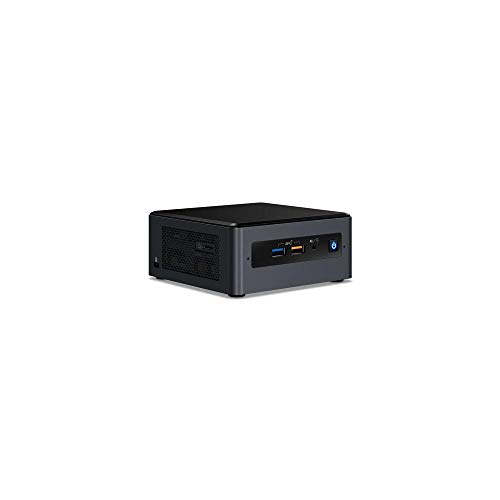
Intel NUC 8 Core i3 Tall Mini PC Kit
Best for: custom dual-drive desktop kit builds
- Processor
- Intel Core i3 (what this guide is about)
- Memory Type
- DDR4 2400 SODIMM
- Graphics
- Intel Iris Plus Graphics 655
- Operating System
- Windows 10
- Dimensions
- 6.1 × 5 × 4.6 inches
- Weight
- 2.7 pounds
This Intel NUC is a barebones kit built around an 8th Gen Intel Core i3 8109U processor and Intel Iris Plus Graphics 655. It provides two internal drive options, featuring an M.2 NVMe or SATA slot alongside a 2.5-inch drive bay. You can install up to 32GB of DDR4-2400 memory across its dual SODIMM slots. It suits you if you want a compact base for Windows 10 computing.
Pros
- Intel Iris Plus Graphics 655
- Dual storage support with M.2 slot and 2.5-inch bay
- Supports up to 32GB dual-channel DDR4 memory
- Compact chassis measuring 5 by 6.1 by 4.6 inches
Cons
- Requires you to supply separate RAM and storage
- Memory support is limited to DDR4-2400 SODIMM
- Configured for Windows 10 rather than newer versions
Good fit if
- You want to configure your own storage and memory.
- You need both an M.2 slot and a 2.5-inch drive bay.
- You want integrated Intel Iris Plus Graphics 655.
Skip if
- You want an out-of-the-box system with storage included.
- You need support for memory faster than 2400MHz.
Verdict: Intel NUC Tall Core i3 Mini PC Kit gives you dual drive options and customizable memory in a compact desktop chassis. It is a solid choice if you prefer supplying your own components.
Specifications side by side
| Spec | Dell OptiPlex Micro Core i3 Desktop | Dell OptiPlex Micro PC 16GB RAM | GMKtec Core i3 WiFi 6 Mini PC | Bmax Core i3 Mini PC | GEEKOM Core i3 8-Core Mini PC | ACEMAGIC Ryzen R2544 Mini PC | Geekplus Intel NUC 13 Pro Core i3 Mini PC | Origimagic Core i3 Dual Storage Mini PC | QAZIPO Core i3-8109U Mini PC | MSI Cubi 5 Core i3 Mini PC | Bmax Compact Core i3 Mini PC | ASUS Chromebox 5a Core i3 Mini PC | Pulcro.io Node Core i3 Mini PC | MINIX Fanless Intel i3 Mini PC | Intel NUC 8 Core i3 Tall Mini PC Kit |
|---|---|---|---|---|---|---|---|---|---|---|---|---|---|---|---|
| Processor | Intel Core i3-9100T | Intel Core i3-8100T | Intel Core i3-10110U | Intel Core i3-1000NG4 | Intel Core i3-12300HE | AMD Ryzen R2544 | Intel Core i3-1315U | Intel Core i3-5005U | Intel Core i3-8109U | Intel Core i3-1215U | Intel Core i3-8109U | Intel Core i3-1315U | Intel Core i3-1215U | Intel Core i3-N300 | Intel Core i3 8109U |
| Installed RAM | 8GB | 16GB | 16GB | 12GB | 16GB | 16GB | 8GB | 8GB | 12GB | 16GB | 12GB | 8GB | 8GB | 16GB | not specified |
| Storage Capacity | 256GB | 256GB | 512GB | 512GB | 256GB SSD | 256GB | 512GB | 512GB SSD | 256GB | 256GB | 256GB | 128GB | 512GB | 512GB | not specified |
| Memory Type | DDR4 2666MHz | DDR4 | DDR4 | LPDDR4 | not specified | DDR4 | DDR4 | DDR | not specified | DDR4 SODIMM | 1600MHz | not specified | not specified | DDR4 | DDR4 2400 SODIMM |
| Graphics | not specified | Intel UHD Graphics 630 | Intel Graphics | not specified | not specified | AMD Radeon Graphics | Intel UHD Graphics | Intel HD Graphics 5500 | Iris Plus 655 | not specified | Intel Iris Plus Graphics 655 | not specified | Intel UHD | Intel UHD Graphics | Intel Iris Plus Graphics 655 |
| Ethernet Ports | not specified | 1 x RJ45 (Gigabit) | 1x 2.5GbE | Gigabit Ethernet | 2.5Gb Ethernet | Gigabit Ethernet | 10/100/1000/2500 Mbps RJ45 | Gigabit Ethernet | Gigabit Ethernet | not specified | 1Gbps Ethernet | not specified | Gigabit | not specified | not specified |
| High-Speed Expansion | not specified | not specified | not specified | not specified | Dual USB4 | not specified | Thunderbolt 4 | not specified | not specified | Thunderbolt 4 | not specified | not specified | not specified | not specified | not specified |
| Operating System | Windows 11 | Windows 11 Pro | not specified | Win 11 Pro | not specified | 11 Pro | not specified | not specified | Windows 11 Home | Windows 11 Pro | Windows 11 Pro | ChromeOS | Home Assistant OS | Windows 11 Pro | Windows 10 |
| Memory | 8GB RAM | 16GB RAM | 16GB RAM | not specified | 16GB RAM | 16GB RAM | 8GB RAM | not specified | not specified | 16GB RAM | not specified | 8GB RAM | 8GB RAM | 16GB RAM | not specified |
| Storage | 256GB SSD | 256GB SSD | not specified | 512GB SSD | 256GB SSD | 256GB SSD | 512GB SSD | not specified | 256GB SSD | 256GB SSD | not specified | 128GB SSD | 512GB SSD | 512GB SSD | not specified |
| Use | not specified | not specified | Business, Office | Home, Office | not specified | Business, Office | not specified | not specified | not specified | Home | Home, Business, Office | not specified | Home | not specified | not specified |
| Networking | not specified | not specified | WiFi 6, 2.5G LAN | not specified | not specified | not specified | WiFi 6E | not specified | not specified | not specified | not specified | not specified | not specified | not specified | not specified |
| Connectivity | not specified | not specified | not specified | WiFi 5 | not specified | not specified | not specified | not specified | not specified | not specified | not specified | not specified | not specified | not specified | not specified |
| Dimensions | not specified | 7.2 × 7 × 1.4 inches | not specified | 4.9 × 4.4 × 1.37 inches | 4.6 × 4.4 × 1.9 inches | not specified | 4.6 × 4.4 × 2.1 inches | 5.04 × 5 × 1.69 inches | 4.9 × 4.4 × 1.3 inches | 4.88 × 4.88 × 2.11 inches | 4.92 × 4.41 × 1.34 inches | 6.56 × 6.53 × 1.81 inches | 5 × 5 × 1.7 inches | 4.84 × 4.72 × 1.81 inches | 6.1 × 5 × 4.6 inches |
| Weight | not specified | 4.2 pounds | not specified | 10.6 ounces | not specified | 1.39 pounds | 3.65 pounds | 1.87 pounds | 12 ounces | not specified | 11.2 ounces | 1.76 pounds | 2 pounds | 1.96 pounds | 2.7 pounds |
| Model | Dell Optiplex 3070 | Optiplex 3060 | G3 PRO | B6 Plus | GEEKOM Mini IT12 | K1 | NUC13ANHI30000-8512 | C3 | JND11 | 12M | B6 | CHROMEBOX5a-S3081UN | Node | NEO Z300-0dB (512GB) | NUC8i3BEH |
| Size | not specified | 40.88 cubic inches | i3-10110U 16GB DDR4 + 512GB | not specified | i3-12300HE,16GB+256GB | 16GB DDR4+256GB Ryzen R2544 Silver | NUC13ANHi3 8GB+512GB | 5005U 8+512GB | not specified | 16GB RAM | 256GB SSD | not specified | 8GB RAM|128GB SSD | not specified | Z300(16+512GB) | not specified |
| Color | not specified | 16 GB | 256 GB | Black | Emerald Green | Sky Blue | Silver | NUC13ANHi3 8GB+512GB | Black | Carbon Black | Cubi 5 | i3-1215U | Green | Black | not specified | Black | Black |
Is an Intel Core i3 Mini PC Worth It?
An Intel Core i3 mini PC gives you capable computing for lightweight office workloads, web-based productivity, and media streaming. Listings feature configurations ranging from baseline quad-core chips to 6-core and 8-core models such as the i3-1215U and i3-12300HE. These processors support triple 4K display outputs, 2.5Gb Ethernet, and Thunderbolt 4 or USB4 expansion. Low-power 15W options and fanless enclosures also run silent home server or automation setups without drawing excess energy. It provides standard desktop utility without enterprise server complexity.
Worth it if
- You need a dependable system for routine office applications, cloud productivity, and dual or triple 4K monitors.
- You run continuous low-power desktop tasks, silent media playback, or local home automation services.
Skip it if
- You require dedicated graphics hardware instead of integrated Intel graphics for high-load graphical rendering.
- You run demanding workstation workloads requiring processor thread and core counts beyond an 8-core design.
If you require mobile hardware with higher multi-core speeds, compare the best gaming laptops with Intel Core i9 to evaluate portable performance limits.
Choosing Intel Core i3 Mini PCs
To select mini desktops for this guide, we identify Amazon listings that specify an Intel Core i3 processor in the product title or published specifications. We do not physically test or handle any hardware. Every detail comes strictly from manufacturer spec sheets, emphasizing core hardware attributes such as memory, SSD storage, and monitor connectivity. We also limit the list to one variant per product family.
You will find the 15 picks listed with products in stock first, then by Amazon sales rank (better-selling products first). We also evaluate how well published specs meet baseline criteria for RAM capacity, internal SSD storage, and networking support. This ensures each desktop provides practical performance for your daily multitasking needs.
Key Specifications to Compare Before Buying
-
Choose Your Operating System
Check which operating system comes pre-installed before choosing a desktop. ChromeOS devices cater to users whose daily workflows rely entirely on web browsers, cloud storage, and web applications. If your daily routines require native local software, corporate management tools, or specialized desktop utilities, look for mini PCs pre-installed with Windows 11 Pro. For web-centric workflows, the ASUS Chromebox 5a Core i3 Mini PC provides a dedicated ChromeOS environment. Selecting the right operating system out of the box avoids the process of manually wiping drives and configuring alternate platform licenses.
-
Evaluate Wired and Wireless Networking
Network specifications dictate your local transfer speeds and wireless stability. Baseline models feature standard Gigabit Ethernet and WiFi 5, which reliably handle routine web browsing and document synchronization. If you routinely move large files across local network storage or work on congested frequency bands, prioritize computers with 2.5G LAN ports alongside WiFi 6 or WiFi 6E adapters. The GMKtec Core i3 WiFi 6 Mini PC provides both WiFi 6 and 2.5G LAN hardware. Matching these network interfaces to your existing router prevents unexpected data transfer bottlenecks across your office network.
-
Check Display Output Capabilities
Mini PCs differ in the number of external monitors they drive simultaneously. Basic configurations typically offer dual video outputs, which suit standard two-display office setups. If your workflow requires extra screen real estate for dashboards, spreadsheets, or reference documents, verify that the hardware supports three independent video connections. The Bmax Core i3 Mini PC provides triple display support for multi-monitor setups. Review the exact video port configuration on the chassis to confirm it matches your monitor inputs without requiring extra converters or external adapters.
-
Review Storage Capacity and Expansion
Internal storage capacities across these desktops range from 128GB up to 512GB solid-state drives. A modest 128GB or 256GB drive suits web-focused tasks and lightweight document editing. However, storing large offline archives and diverse local applications requires higher capacities or secondary expansion slots. Some chassis include dual M.2 drive bays or secondary drive connections for later upgrades. The QAZIPO Core i3-8109U Mini PC features dual M.2 drive expansion slots. Checking internal drive options beforehand ensures you can install extra storage without relying exclusively on external hard drives.
-
Inspect Cooling and Chassis Noise
Cooling hardware affects whether a desktop operates silently or produces fan noise during processing tasks. Actively cooled systems use internal fans to expel heat, which works effectively for general office desks with standard ventilation. However, continuous 24/7 deployments, audio recording spaces, or quiet bedroom setups benefit from passive cooling architecture. The MINIX Fanless Intel i3 Mini PC provides fanless, completely silent operation. If acoustic distractions disrupt your focus, verifying a fanless thermal design gives you silent operation while eliminating mechanical fan wear over long periods.
-
Compare Physical Dimensions and Footprint
Physical dimensions vary across mini desktops and affect where you can place the unit. Compact models measure under five inches across and weigh around one pound, allowing you to hide them behind displays. Larger micro desktop chassis, such as the Dell OptiPlex Micro PC 16GB RAM, measure seven inches wide and weigh over four pounds. If your workspace has strict physical space limits or requires clean cable routing on a compact desk, check the exact length, width, and height specifications to ensure the computer fits your mounting layout.
Frequently asked questions
Can an Intel Core i3 mini PC run triple monitors?
Yes, specific Intel Core i3 models support triple displays directly from the chassis. For example, the Bmax Core i3 Mini PC (B6 Plus) supports triple 4K output, while the ACEMAGIC model also provides triple-display capability. These setups allow you to spread spreadsheets, web browsers, and reference windows across three separate screens simultaneously without needing external splitters.
Are fanless Intel Core i3 mini PCs available for silent operation?
Yes, fanless designs exist in this category if you need completely quiet performance. The MINIX Fanless Intel i3 Mini PC operates with a zero-decibel cooling profile while providing an octa-core processor, 16GB of RAM, and a 512GB SSD. Eliminating moving cooling fans prevents dust buildup inside the chassis and keeps continuous home or office workloads silent.
What networking speeds do Intel Core i3 mini PCs support?
Networking speeds vary depending on the wireless and Ethernet hardware included on the board. Certain options, like the Bmax B6 Plus, feature Wi-Fi 5, whereas the GMKtec G3 PRO pairs Wi-Fi 6 with a 2.5G LAN port. Advanced picks such as the Geekplus Intel NUC 13 Pro provide Wi-Fi 6E alongside 2.5Gbps wired networking for fast local transfers.
Which Intel Core i3 mini PCs work well as home automation servers?
Mini PCs designed for low energy consumption and continuous uptime serve home automation roles well. The Pulcro.io Node Core i3 Mini PC is optimized specifically for Home Assistant deployments, pairing a 6-core processor with 8GB RAM and a 512GB SSD. Its dual SO-DIMM memory slots and dual NVMe bays also leave room for expansion as device networks expand.
Can you build or customize an Intel Core i3 mini PC kit yourself?
Yes, barebones mini PC kits allow you to choose and install your own components. The Intel NUC 8 Core i3 Tall Mini PC Kit comes without pre-configured RAM and SSD modules, giving you dual-drive capability to install your preferred storage drives and memory capacity. This bare kit approach suits users who already own spare compatible hardware.
What storage expansion options do compact Core i3 mini PCs offer?
Many compact desktop units provide secondary internal drive slots alongside primary storage. Compact units like the QAZIPO Core i3-8109U and the Bmax B6 feature dual M.2 drive bays inside their small enclosures. This layout allows you to retain your primary boot drive while adding a second solid-state drive for local archives, system backups, or larger project files.
Can an Intel Core i3 mini PC connect to Thunderbolt 4 accessories?
Yes, several modern Intel Core i3 configurations integrate Thunderbolt 4 connectivity. Both the Geekplus Intel NUC 13 Pro and the MSI Cubi 5 feature Thunderbolt 4 interfaces alongside their standard USB arrays. This port specification provides high data transfer bandwidth, supports high-resolution external monitors, and connects high-speed external storage arrays or multi-port expansion docks through a single cable.