Best Mini PCs with Windows 11 Pro: 15 Spec-Based Picks
As an Amazon Associate we earn from qualifying purchases. Links on this page are affiliate links.
Finding the best mini PCs with Windows 11 Pro comes down to matching processor cores, memory, and physical dimensions to your workspace. We compared 15 models using specifications published on their listings.
The HP ProDesk Mini PC with 16GB RAM takes the top spot because its 6-core processor and 16GB of RAM handle demanding office multitasking in a space-saving profile. This guide helps you choose the right balance of memory, storage capacity, and port selection for your desk setup.
Quick picks
The best fit for you
- You need balanced everyday performance for office multitasking. HP ProDesk Mini PC with 16GB RAM Its 6-core processor and 16GB of RAM deliver dependable performance for Windows 11 Pro office workloads.
- You require updated wireless speeds for your office desktop. Dell OptiPlex Micro WiFi 6E Mini PC It features built-in WiFi 6E networking and an Intel Core i5 processor in a 1.5-inch tall chassis.
- You tackle demanding workloads that require higher core counts. Dell Optiplex Micro Core i7 Desktop The 16-core Intel Core i7 processor and 512GB SSD provide robust capacity for intensive multitasking.
- You need triple 4K display support and extra memory. ACEMAGIC Ryzen 7 7735HS Mini PC It features 24GB of LPDDR5 memory, an 8-core Ryzen 7 processor, and triple 4K monitor support.
Our 15 picks

HP ProDesk Mini PC with 16GB RAM
Best for: everyday office multitasking with Windows 11 Pro
- Operating System
- Windows 11 Pro (what this guide is about)
- Processor
- Intel Core i5 Hexa Core
- Installed RAM
- 16GB
- Storage Capacity
- 250GB
- Memory Type
- DDR4
This renewed HP mini desktop comes configured with Windows 11 Pro, an Intel Core i5 hexa-core processor, 16GB of DDR4 memory, and a 250GB SSD. Measuring 1.25 inches tall, the compact chassis occupies minimal desk space while supplying sufficient processing power and system memory for routine office tasks. It suits you if you need a preconfigured business desktop ready for daily workloads without requiring extra hardware upgrades.
Pros
- Intel Core i5 hexa-core processor
- 16GB DDR4 system memory
- Preinstalled Windows 11 Pro operating system
- Compact chassis measuring 1.25 inches high
Cons
- 250GB SSD provides limited local storage space
- Renewed product may show minor cosmetic wear
Good fit if
- You want 16GB RAM for multitasking in Windows 11 Pro.
- You need a slim desktop with a 1.25-inch chassis height.
- You prefer a 6-core Intel Core i5 CPU for productivity apps.
Skip if
- You need more than 250GB of baseline storage capacity.
- You prefer a brand-new unit free of cosmetic wear.
Verdict: HP ProDesk Mini PC Core i5 provides balanced daily performance with its 6-core processor, 16GB of RAM, and Windows 11 Pro in a space-saving profile.

Lenovo ThinkCentre Mini PC Intel i5
Best for: everyday home office computing and multitasking
- Operating System
- Windows 11 Pro (what this guide is about)
- Processor
- Intel i5-8400T
- Installed RAM
- 16GB
- Storage Capacity
- 500GB NVMe
- Memory Type
- DDR4
- Use
- Home, Office
This Lenovo ThinkCentre desktop is a compact computer designed for daily home and office productivity. It runs Windows 11 Pro on an Intel Core i5 processor paired with 16GB of DDR4 memory. A 500GB NVMe solid-state drive handles storage and quick boot times, while built-in Wi-Fi and Bluetooth provide wireless connectivity. You get a space-saving setup well suited for everyday multitasking, general web tasks, and personal projects.
Pros
- Pre-installed Windows 11 Pro operating system
- 16GB DDR4 RAM for responsive multitasking
- 500GB NVMe solid-state storage
- Built-in Wi-Fi and Bluetooth adapter
Cons
- Uses an 8th Generation Intel Core i5 processor
- Uses DDR4 memory rather than newer DDR5 standards
Good fit if
- You need Windows 11 Pro in a compact desktop weighing under 3 pounds.
- You want 16GB of memory and 500GB NVMe storage for everyday home tasks.
- You need bundled Wi-Fi and Bluetooth connectivity for a clean setup.
Skip if
- You require a newer generation processor than an 8th Gen Intel Core i5.
- You need modern DDR5 memory support.
Verdict: Lenovo ThinkCentre Intel i5 Mini PC provides reliable everyday power with its 16GB RAM, 500GB NVMe drive, and Windows 11 Pro operating system. Its small footprint and wireless connectivity make it a straightforward choice for your home desk.

HP EliteDesk Desktop Mini i5 16GB RAM
Best for: compact dual-display office setups needing 16GB RAM
- Operating System
- Windows 11 Pro (what this guide is about)
- Processor
- Intel Core i5-6500T
- Installed RAM
- 16GB
- Storage Capacity
- 240GB
- Memory Type
- DDR4
- Use
- Business
This compact desktop measures 7.2 by 7.2 inches and runs Windows 11 Pro. It features a quad-core Intel Core i5-6500T processor, 16GB of DDR4 memory, and a 240GB solid-state drive. You get front USB-C connectivity, six USB 3.0 ports, and dual video outputs via DisplayPort and VGA. It suits you if you need a preconfigured, space-saving business workstation for everyday office duties, basic multitasking, and dual-monitor desk setups.
Pros
- Includes 16GB DDR4 RAM with expansion support up to 32GB across two slots
- Six USB 3.0 ports alongside a front USB Type-C port
- Comes with USB keyboard and mouse included in the box
- Compact footprint measuring 7.2 by 7.2 by 1.9 inches
Cons
- Modest 240GB SSD capacity limits internal file storage
- Features DisplayPort and VGA video outputs but lacks native HDMI
- Older sixth-generation Intel Core i5-6500T quad-core processor
Good fit if
- You want 16GB of memory ready for multitasking out of the box.
- You need legacy VGA and DisplayPort connections for dual-monitor setups.
- You prefer a compact chassis that includes a bundled mouse and keyboard.
Skip if
- You need more than 240GB of onboard storage for large files.
- You require direct HDMI connectivity without using an adapter.
Verdict: HP EliteDesk Mini PC with 16GB RAM delivers solid everyday office capability with generous memory and flexible display outputs in an ultra-compact chassis.

Dell OptiPlex Micro WiFi 6E Mini PC
Best for: compact offices needing WiFi 6E connectivity
- Operating System
- Windows 11 Pro (what this guide is about)
- Processor
- Intel Core i5-9500T
- Installed RAM
- 8GB
- Storage Capacity
- 256GB
- Memory
- 8GB RAM
- Networking
- WiFi 6E
The Dell OptiPlex Micro PC pairs an Intel Core i5-9500T processor with 8GB of RAM and a 256GB NVMe SSD under Windows 11 Pro. It features built-in AX210 WiFi 6E for updated wireless connections. At 7 by 7 by 1.5 inches, it occupies minimal space on a desk. This micro PC suits you if you need a compact Windows 11 Pro computer with modern wireless networking.
Pros
- Built-in AX210 WiFi 6E wireless card
- Intel Core i5-9500T processor
- Fast 256GB NVMe solid-state drive
- Compact chassis measuring 7 x 7 x 1.5 inches
Cons
- Base configuration includes only 8GB of RAM
- Internal drive capacity is limited to 256GB
- Weighs 6 pounds, which is relatively heavy for micro desktops
Good fit if
- You need fast wireless networking via built-in WiFi 6E.
- You want Windows 11 Pro pre-installed on an Intel Core i5 system.
- You have limited workspace and need a 7-inch square footprint.
Skip if
- You need more than 8GB of memory out of the box.
- You require more than 256GB of onboard storage.
Verdict: Dell OptiPlex Micro PC WiFi 6E provides Windows 11 Pro and built-in WiFi 6E in a compact 1.5-inch tall chassis. It delivers capable Intel Core i5 performance for office tasks without cluttering your workspace.

Dell Optiplex Micro Core i7 Desktop
Best for: demanding multitasking in compact office setups
- Operating System
- Windows 11 Pro (what this guide is about)
- Processor
- Intel Core i7-13700T
- Installed RAM
- 16GB
- Storage Capacity
- 512GB SSD
- Memory Type
- DDR4-3200
- Ethernet Ports
- Gigabit Ethernet
This micro desktop delivers desktop-class speed in a 1.42-inch chassis using a 16-core Intel Core i7-13700T processor. You get Windows 11 Pro preinstalled, alongside 16GB of DDR4 memory and a 512GB PCIe SSD for storage. Built-in Intel Wi-Fi 6 AX211, Gigabit Ethernet, and dual display outputs handle your connectivity. It suits you if you need multi-threaded performance and dual-monitor support in a compact footprint.
Pros
- 16-core, 24-thread Intel Core i7-13700T processor
- Dual monitor support via DisplayPort 1.4a and HDMI 1.4b
- Memory expands up to 64GB across two SODIMM slots
- Intel Wi-Fi 6 AX211 and Bluetooth wireless connectivity
Cons
- No USB Type-C ports on the chassis
- HDMI output is limited to version 1.4b
- Uses DDR4 memory rather than DDR5
Good fit if
- You need a 16-core processor for multi-threaded workloads in Windows 11 Pro.
- You want the option to upgrade memory up to 64GB over time.
- You plan to mount your PC using a standard VESA mount.
Skip if
- You require native USB-C ports for your peripherals.
- You need to drive three or more external displays natively.
Verdict: Dell OptiPlex Micro Intel Core i7 brings 16-core processing power and expandable memory to a tiny form factor. It gives you dependable performance for demanding Windows 11 Pro tasks without cluttering your workspace.

Dell OptiPlex Micro Core i5 Desktop
Best for: compact business setups needing Windows 11 Pro
- Operating System
- Windows 11 Pro (what this guide is about)
- Processor
- Intel Core i5-9500
- Installed RAM
- 16GB
- Storage Capacity
- 500GB
- Memory Type
- DDR4
- Dimensions
- 12.1 × 13.3 × 4 inches
The Dell OptiPlex Micro is a compact desktop built for space-conscious workspaces. It pairs an Intel Core i5-9500 six-core processor with 16GB of DDR4 memory and a 500GB solid-state drive, ensuring responsive everyday computing. Pre-installed with Windows 11 Pro, it gives you business-oriented management features right out of the box. This machine suits you if you need a dependable, low-footprint desktop for general office tasks, web browsing, and multi-application workflows.
Pros
- Intel Core i5-9500 hexa-core processor
- 16GB DDR4 RAM for smooth multitasking
- Pre-installed Windows 11 Pro operating system
- 500GB solid-state drive for fast boot times
- Includes WiFi and Bluetooth connectivity adapter
Cons
- WiFi and Bluetooth rely on an included adapter
- 500GB storage capacity may limit heavy local archiving
Good fit if
- You want 16GB RAM for handling simultaneous business tasks.
- You require Windows 11 Pro in a space-saving desktop chassis.
- You need a six-core Intel processor for everyday productivity.
Skip if
- You need more than 500GB of factory-installed storage.
- You prefer built-in motherboard wireless instead of an adapter.
Verdict: Dell OptiPlex Micro Intel i5 PC delivers solid multi-core performance and 16GB of memory in a compact desktop chassis. It provides a straightforward workspace solution for everyday productivity under Windows 11 Pro.

Dell OptiPlex Micro PC 10th Gen i5
Best for: compact office desks needing six-core Windows 11 performance
- Operating System
- Windows 11 Pro (what this guide is about)
- Processor
- Intel Core i5-10500T
- Installed RAM
- 8GB
- Storage Capacity
- 256GB
- Memory Type
- DDR4
- Dimensions
- 7 × 7 × 1.4 inches
This Dell OptiPlex 3080 Micro Desktop is an ultra-compact computer built for professional environments running Windows 11 Pro. It features a 10th-generation 6-core Intel Core i5-10500T processor paired with 8GB of DDR4 memory and a 256GB solid-state drive. Measuring 7 by 7 by 1.4 inches, this small form factor machine suits you if you need reliable productivity power, built-in Wi-Fi, and Bluetooth connectivity inside tight office spaces.
Pros
- Intel Core i5-10500T 6-core processor
- Windows 11 Pro operating system
- Compact 7 x 7 x 1.4-inch chassis
- Built-in Wi-Fi and Bluetooth
Cons
- 8GB RAM limits heavy multitasking
- 256GB SSD provides modest local storage
Good fit if
- You need a compact 6-core desktop for business workflows.
- You require Windows 11 Pro with wireless connectivity included.
- You have limited desk space and need a 1.4-inch thin profile.
Skip if
- You run memory-heavy workloads requiring more than 8GB of RAM out of the box.
- You store large media libraries needing more than 256GB of internal space.
Verdict: Dell OptiPlex 3080 Micro Intel i5 provides dependable 6-core processing and Windows 11 Pro in a tiny 7-inch footprint. It serves as a capable everyday workstation if base storage and memory capacities meet your workflow demands.
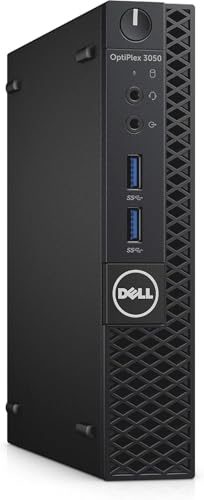
Dell OptiPlex Micro Intel i5 Desktop
Best for: everyday office productivity in tight spaces
- Operating System
- Windows 11 Pro (what this guide is about)
- Processor
- Intel Core i5-7500T
- Installed RAM
- 8GB
- Storage Capacity
- 256GB
- Memory Type
- DDR4
- Ethernet Ports
- Ethernet
This Dell OptiPlex micro form factor desktop gives you Windows 11 Pro in an ultra-compact chassis measuring just 1.3 inches wide. Powered by a quad-core Intel Core i5-7500T processor running at 2.7GHz, it includes 8GB of DDR4 memory and a 256GB solid-state drive. It suits you if you need a compact workstation for everyday office multitasking, wired or wireless networking, and standard computing tasks.
Pros
- Intel Core i5-7500T quad-core processor running at 2.7GHz
- Comes with Windows 11 Pro preinstalled
- Compact micro footprint at 1.3 inches wide and 4.1 pounds
- Includes both WiFi and wired Ethernet connectivity
Cons
- Base memory limited to 8GB DDR4
- Internal storage capped at 256GB SSD
- Single DisplayPort output listed for external displays
Good fit if
- You need a space-saving PC running Windows 11 Pro for routine office work.
- You want built-in WiFi and Ethernet options in a 4.1-pound chassis.
- You only require standard 8GB RAM and 256GB solid-state storage.
Skip if
- You need more than 8GB of preinstalled memory for heavy workloads.
- You require more than 256GB of local storage capacity out of the box.
Verdict: Dell OptiPlex Micro Core i5 Mini PC delivers everyday quad-core processing and Windows 11 Pro in a tiny 1.3-inch wide frame. It provides essential connectivity and solid-state responsiveness for space-constrained work environments.
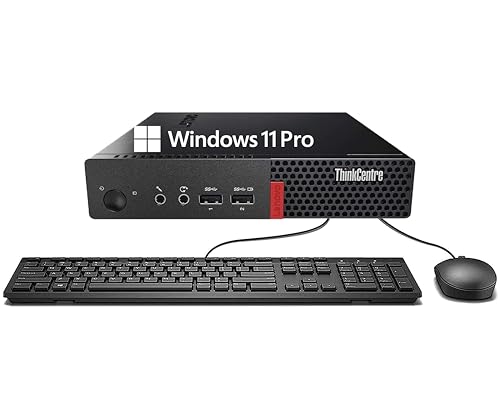
Lenovo ThinkCentre Tiny Core i3 Mini PC
Best for: basic office productivity and web browsing
- Operating System
- Windows 11 Pro (what this guide is about)
- Processor
- Intel Core i3-6100T
- Installed RAM
- 8GB
- Storage Capacity
- 256GB
- Memory Type
- DDR4
- Weight
- 5.67 pounds
The Lenovo ThinkCentre Tiny Core i3 Mini PC brings Windows 11 Pro to a compact desktop workspace. It is equipped with a 6th Gen Intel Core i3-6100T processor, 8GB of DDR4 RAM, and a 256GB solid-state drive. Connectivity options include DisplayPort, USB Type-A, and an RJ-45 network jack. This setup suits you if you handle standard office productivity, multimedia consumption, and web browsing tasks.
Pros
- Preinstalled Windows 11 Pro operating system
- Comes with included keyboard and mouse
- Equipped with DisplayPort, RJ-45, and USB Type-A ports
- Solid-state drive provides 256GB of fast local storage
Cons
- Older 6th Gen Intel Core i3-6100T processor
- Limited to 8GB of DDR4 RAM out of the box
- No HDMI port listed in hardware specifications
Good fit if
- You need Windows 11 Pro for basic office productivity and web browsing.
- You want a compact computer that includes a keyboard and mouse.
- You connect to monitors using DisplayPort and require wired RJ-45 internet.
Skip if
- You run demanding computing workloads that need a newer processor.
- You need more than 8GB of memory or 256GB of storage space.
Verdict: Lenovo ThinkCentre Tiny Core i3 Mini PC provides an entry-level Windows 11 Pro desktop designed for everyday office work and web browsing. Its small form factor delivers standard connectivity like DisplayPort and RJ-45 alongside bundled peripherals.

Dell OptiPlex Micro i5 16GB
Best for: dual-monitor office setups needing 16GB RAM
- Operating System
- Windows 11 Pro (what this guide is about)
- Processor
- Intel Core i5-6500T
- Installed RAM
- 16GB
- Storage Capacity
- 256GB SSD
- Memory Type
- DDR4
- Ethernet Ports
- 1 x RJ-45
The Dell OptiPlex Micro PC is a compact desktop running Windows 11 Pro. Powered by an Intel Core i5-6500T quad-core processor and 16GB of DDR4 memory, it handles everyday office workflows, multitasking, and web applications. The system features a 256GB solid-state drive for local storage, six USB 3.0 ports, and dual 4K video outputs via HDMI and DisplayPort. It suits you if you need a preconfigured, space-saving desktop for dual-monitor productivity.
Pros
- 16GB DDR4 memory supports responsive multitasking
- Dual 4K display support using HDMI and DisplayPort
- Six USB 3.0 ports for wired accessories
- Compact chassis weighing 2 pounds and measuring 1.4 inches thin
Cons
- Internal SSD capacity is limited to 256GB
- No USB-C ports listed in the hardware specifications
Good fit if
- You need a compact Windows 11 Pro PC equipped with 16GB RAM for office multitasking.
- You intend to connect dual 4K monitors using HDMI and DisplayPort.
- You use multiple external peripherals that require standard USB 3.0 ports.
Skip if
- You need more than 256GB of onboard storage without adding external drives.
- You rely on native USB-C connections for your monitors or accessories.
Verdict: Dell OptiPlex Micro PC delivers 16GB RAM and dual 4K output in a slim two-pound profile. It is a solid, space-conscious Windows 11 Pro choice for standard dual-screen desk setups.

Dell OptiPlex Micro PC 16GB RAM
Best for: dual-monitor office setups needing extensive USB connectivity
- Operating System
- Windows 11 Pro (what this guide is about)
- Processor
- Intel Core i5-6500T
- Installed RAM
- 16GB
- Storage Capacity
- 256GB
- Memory Type
- DDR4
- Ethernet Ports
- RJ-45
This compact Dell OptiPlex desktop runs Windows 11 Pro on an Intel Core i5-6500T quad-core processor paired with 16GB of DDR4 memory. For local file storage, you get a 256GB NVMe solid-state drive with space for an additional 2.5-inch drive. It connects dual displays via HDMI and DisplayPort at up to 4K resolution, making it suitable if you need multi-monitor office multitasking in a space-saving chassis.
Pros
- 16GB DDR4 memory supports multitasking across multiple applications
- Dual-display output up to 4K resolution via HDMI and DisplayPort
- Six USB 3.0 ports provide broad peripheral connectivity
- Internal bay supports adding an extra 2.5-inch drive
Cons
- Base 256GB storage capacity fills quickly without adding a drive
- Quad-core processor configuration limits heavy multi-threaded workloads
Good fit if
- You need Windows 11 Pro with BitLocker and remote desktop functionality.
- You want dual-display support up to 4K resolution using standard HDMI and DisplayPort outputs.
- You use multiple external accessories and need six USB 3.0 ports.
Skip if
- You need more than 256GB of internal storage out of the box.
- You run intensive applications that require more than four processor cores.
Verdict: Dell OptiPlex Micro i5 Mini PC combines 16GB of RAM, an NVMe drive, and dual 4K display outputs into an ultra-compact chassis. It handles standard office software and remote management tasks through Windows 11 Pro.

ACEMAGIC Core i5-12600H Mini PC
Best for: triple-monitor Windows 11 Pro office setups
- Operating System
- Windows 11 Pro (what this guide is about)
- Processor
- Intel i5-12600H
- Installed RAM
- 16GB
- Storage Capacity
- 256GB
- Memory Type
- DDR4
- Ethernet Ports
- 1.0Gbps LAN
The ACEMAGIC Intel i5-12600H Mini PC delivers Windows 11 Pro performance in a compact chassis measuring 5.03 by 4.87 inches. Powered by a 12-core Intel Core i5-12600H processor with 16GB of DDR4 memory, it handles multitasking and office workflows with ease. It supports up to three simultaneous 4K displays through HDMI, DisplayPort, and Type-C. This setup suits you if you need modern processing power and multi-monitor output for desktop productivity.
Pros
- 12-core, 16-thread Intel Core i5-12600H processor
- Triple 4K display output via HDMI, DisplayPort, and Type-C
- RAM expandable up to 64GB DDR4
- Wi-Fi 6 and Bluetooth 5.2 wireless connectivity
Cons
- Modest 256GB base SSD capacity
- Uses DDR4 memory rather than DDR5
- Ethernet capped at 1.0Gbps
Good fit if
- You need to run up to three 4K monitors simultaneously using HDMI, DisplayPort, and USB Type-C.
- You want a high-thread-count processor with 12 cores for intensive multitasking in Windows 11 Pro.
- You plan to expand system memory up to 64GB down the road.
Skip if
- You need more than 256GB of internal storage out of the box without adding a secondary drive.
- You require high-speed 2.5Gbps or faster wired networking.
Verdict: ACEMAGIC Intel i5-12600H Mini PC delivers robust 12-core processing and triple 4K monitor support for Windows 11 Pro workspaces. It is a capable compact desktop if you do not mind starting with 256GB of base storage.

HP EliteDesk 800 G5 Mini Desktop
Best for: compact office setups needing Windows 11 Pro
- Operating System
- Windows 11 Pro (what this guide is about)
- Processor
- Core i5-9500T
- Installed RAM
- 16GB
- Storage Capacity
- 512GB
- Memory Type
- DDR4
- Dimensions
- 19 × 16 × 7 inches
This HP EliteDesk is a compact desktop running Windows 11 Pro on a 9th Gen Intel Core i5-9500T processor. It comes equipped with 16GB of DDR4 memory and a 512GB solid-state drive for your local files. Its black chassis delivers dependable computing power in a small form factor. This setup suits you if you need a dedicated business operating system and balanced memory for everyday office workloads.
Pros
- Intel Core i5-9500T 9th Gen processor
- 16GB DDR4 memory
- 512GB SSD storage capacity
- Pre-installed Windows 11 Pro operating system
Cons
- Wireless connectivity details are not listed
- Monitor display output types are not specified
Good fit if
- You need Windows 11 Pro for business and productivity tasks.
- You want 16GB of DDR4 RAM and 512GB SSD storage.
Skip if
- You need a newer generation processor than the 9th Gen Core i5-9500T.
- You require verified wireless connectivity such as Wi-Fi or Bluetooth.
Verdict: HP EliteDesk Mini PC Core i5 pairs a 9th Gen Core i5-9500T processor with 16GB DDR4 memory and 512GB SSD storage. It provides a capable Windows 11 Pro workstation for everyday workplace tasks.

ACEMAGIC Ryzen 7 7735HS Mini PC
Best for: multitasking productivity with triple 4K displays
- Operating System
- Windows 11 Pro (what this guide is about)
- Processor
- AMD Ryzen 7 7735HS
- Installed RAM
- 24GB
- Storage Capacity
- 512GB
- Memory Type
- LPDDR5
- Graphics
- AMD Radeon 680M
This compact desktop pairs an AMD Ryzen 7 7735HS processor with 24GB of LPDDR5 memory and Windows 11 Pro. You get integrated Radeon 680M graphics and support for up to three 4K monitors across HDMI, DisplayPort, and USB-C. Fast networking comes standard through 2.5Gbps Ethernet and WiFi 6. It suits you if you need a responsive small-form-factor machine for daily productivity, multitasking, office workloads, and network-attached storage transfers.
Pros
- AMD Ryzen 7 7735HS processor with 8 cores and 16 threads
- 24GB onboard LPDDR5 memory and 512GB NVMe SSD
- Dual M.2 NVMe SSD slots supporting up to 4TB storage expansion
- Triple 4K display output via HDMI, DisplayPort, and USB-C
- 2.5Gbps Ethernet port with WiFi 6 and Bluetooth 5.2
Cons
- Soldered LPDDR5 memory cannot be upgraded
- No support for internal 2.5-inch drives or SATA SSDs
Good fit if
- You need an 8-core processor and 24GB of fast memory for multitasking in Windows 11 Pro.
- You want to connect up to three 4K screens using HDMI, DisplayPort, and USB-C.
- You use a 2.5Gbps wired local network for faster NAS access and file transfers.
Skip if
- You plan to replace or expand the system memory after purchase.
- You need internal drive bays for SATA or 2.5-inch storage drives.
Verdict: ACEMAGIC Ryzen 7 7735HS Mini PC delivers 8-core processing, generous 24GB LPDDR5 memory, and triple 4K output for demanding office setups. It is a capable compact Windows 11 Pro workstation as long as you do not need modular RAM.

Lenovo ThinkCentre Tiny AMD Dual-Core Mini PC
Best for: basic Windows 11 Pro office deployments
- Operating System
- Windows 11 Pro (what this guide is about)
- Processor
- AMD A9-9420e
- Installed RAM
- 4GB
- Storage Capacity
- 500GB HDD
- Graphics
- AMD Radeon R5
- Ethernet Ports
- 1 x RJ-45
View on Amazon: Lenovo ThinkCentre Tiny AMD Dual-Core Mini PC
This Lenovo ThinkCentre Tiny desktop delivers Windows 11 Pro in a compact 1.44-inch-tall chassis weighing 2.9 pounds. It features an AMD A9-9420e dual-core processor, 4GB of RAM, and a 500GB hard disk drive for storage. Dual DisplayPort outputs support multi-monitor setups alongside six USB ports and dedicated audio jacks. This system suits you if you need a basic, space-saving workstation for everyday administrative tasks.
Pros
- Dual DisplayPort video outputs for two-screen setups
- Pre-installed Windows 11 Pro operating system
- Six USB ports including three USB 3.0 connections
- Compact 1.44-inch chassis weighing 2.9 pounds
Cons
- Mechanical 500GB hard drive instead of solid-state storage
- 4GB of RAM limits multitasking capacity
- AMD A9-9420e processor has only two CPU cores
Good fit if
- You need Windows 11 Pro for light office productivity
- You plan to run dual monitors using DisplayPort
- You want an ultra-compact desktop chassis under 3 pounds
Skip if
- You require fast SSD storage for fast data transfers
- You need more than 4GB of RAM for demanding applications
- You run heavy workloads requiring more than two CPU cores
Verdict: Lenovo ThinkCentre Tiny Dual-Core Mini PC provides entry-level Windows 11 Pro computing in a lightweight, compact footprint. Its dual DisplayPort connectors and six USB ports accommodate essential office peripherals.
Specifications side by side
| Spec | HP ProDesk Mini PC with 16GB RAM | Lenovo ThinkCentre Mini PC Intel i5 | HP EliteDesk Desktop Mini i5 16GB RAM | Dell OptiPlex Micro WiFi 6E Mini PC | Dell Optiplex Micro Core i7 Desktop | Dell OptiPlex Micro Core i5 Desktop | Dell OptiPlex Micro PC 10th Gen i5 | Dell OptiPlex Micro Intel i5 Desktop | Lenovo ThinkCentre Tiny Core i3 Mini PC | Dell OptiPlex Micro i5 16GB | Dell OptiPlex Micro PC 16GB RAM | ACEMAGIC Core i5-12600H Mini PC | HP EliteDesk 800 G5 Mini Desktop | ACEMAGIC Ryzen 7 7735HS Mini PC | Lenovo ThinkCentre Tiny AMD Dual-Core Mini PC |
|---|---|---|---|---|---|---|---|---|---|---|---|---|---|---|---|
| Processor | Intel Core i5 Hexa Core | Intel i5-8400T | Intel Core i5-6500T | Intel Core i5-9500T | Intel Core i7-13700T | Intel Core i5-9500 | Intel Core i5-10500T | Intel Core i5-7500T | Intel Core i3-6100T | Intel Core i5-6500T | Intel Core i5-6500T | Intel i5-12600H | Core i5-9500T | AMD Ryzen 7 7735HS | AMD A9-9420e |
| Installed RAM | 16GB | 16GB | 16GB | 8GB | 16GB | 16GB | 8GB | 8GB | 8GB | 16GB | 16GB | 16GB | 16GB | 24GB | 4GB |
| Storage Capacity | 250GB | 500GB NVMe | 240GB | 256GB | 512GB SSD | 500GB | 256GB | 256GB | 256GB | 256GB SSD | 256GB | 256GB | 512GB | 512GB | 500GB HDD |
| Memory Type | DDR4 | DDR4 | DDR4 | not specified | DDR4-3200 | DDR4 | DDR4 | DDR4 | DDR4 | DDR4 | DDR4 | DDR4 | DDR4 | LPDDR5 | not specified |
| Graphics | not specified | not specified | not specified | not specified | not specified | not specified | not specified | not specified | not specified | not specified | not specified | not specified | not specified | AMD Radeon 680M | AMD Radeon R5 |
| Ethernet Ports | not specified | not specified | not specified | not specified | Gigabit Ethernet | not specified | not specified | Ethernet | not specified | 1 x RJ-45 | RJ-45 | 1.0Gbps LAN | not specified | 2.5Gbps LAN | 1 x RJ-45 |
| Operating System | Windows 11 Pro | Windows 11 Pro | not specified | Windows 11 Pro | Windows 11 Pro | Windows 11 Pro | Windows 11 Pro | Windows 11 Pro | Windows 11 Pro | Windows 11 Pro 64 Bit | Windows 11 Pro | Windows 11 Pro | Windows 11 Pro | Windows 11 Pro | Windows 11 Pro |
| Memory | 16GB RAM | 16GB RAM | 16GB RAM | 8GB RAM | 16GB RAM | 16GB RAM | 8GB RAM | 8GB RAM | 8GB RAM | not specified | 16GB RAM | 16GB RAM | 16GB RAM | not specified | 4GB RAM |
| Storage | not specified | 500GB SSD | 240GB SSD | 256GB SSD | 512GB SSD | 500GB SSD | 256GB SSD | not specified | 256GB SSD | not specified | 256GB SSD | 256GB SSD | 512GB SSD | not specified | not specified |
| Use | not specified | Home, Office | Business | not specified | not specified | not specified | not specified | not specified | not specified | not specified | not specified | not specified | not specified | not specified | Business |
| Networking | not specified | not specified | not specified | WiFi 6E | WiFi 6 | not specified | not specified | not specified | not specified | not specified | not specified | not specified | not specified | WiFi 6 | not specified |
| Dimensions | not specified | 19 × 15 × 4 inches | 7.2 × 7.2 × 1.9 inches | 7 × 7 × 1.5 inches | 7.17 × 7.01 × 1.42 inches | 12.1 × 13.3 × 4 inches | 7 × 7 × 1.4 inches | 7.1 × 1.3 × 7 inches | not specified | 7.2 × 1.4 × 7 inches | 7.2 × 7 × 1.4 inches | 4.87 × 5.03 × 1.59 inches | 19 × 16 × 7 inches | not specified | 7.2 × 7.05 × 1.44 inches |
| Weight | not specified | 2.91 pounds | not specified | 6 pounds | 2.41 pounds | not specified | not specified | 4.1 pounds | 5.67 pounds | 2 pounds | 4.1 pounds | not specified | not specified | not specified | 2.9 pounds |
| Model | 800G4 | M720Q | 16GB RAM | Optiplex 7070 | Optiplex 7010 Micro | 3070 5070 7070 | Dell OptiPlex 3080 Micro Desktop | 3050 | Lenovo ThinkCentre M710q mini | OptiPlex 7050 Micro | Optiplex 7040 | K1 | EliteDesk 800 G5 Tiny | M1 | ThinkCentre M625q |
| Size | not specified | 1140 cubic inches | 16 GB DDR4 RAM, 240 GB SSD | Mini | Intel i7 | 16GB | 512GB | not specified | not specified | Micro Form Factor | Small | i5-6500T 16GB-256GB | mini-i5-16GB-256GB SSD | 12600H 16GB 256GB | i5|16-512 win11 | 7735HS+24GB+512GB SILVER | not specified |
| Color | not specified | Black | Core I5 6500T/240G SSD | Black | Black | i7/GT 1030 | Black | Black | Black | Mini | Black | Silver | Black | Silver | Black |
Is Windows 11 Pro Worth It for Your Mini PC?
Every model on this list includes Windows 11 Pro pre-installed for workplace use. Based on manufacturer specifications, this operating system targets business deployments, office productivity, and remote management tasks across your network. These administrative tools allow you or IT departments to configure and maintain compact workstations securely. If you intend to use your mini PC strictly for basic web browsing or standalone media consumption at home, these network management features will remain unused. Windows 11 Pro matters most when you integrate the machine into an organized business office environment.
Worth it if
- You require remote management tools for commercial or corporate office deployments.
- You need your mini PC to join an established business domain or workplace network.
Skip it if
- You only require a standalone computer for basic web browsing and personal tasks.
- You do not use administrative network management features at home.
If you plan to build a custom compact PC instead of buying prebuilt, compare the best Mini-ITX motherboards by chipset and expansion options.
How We Chose These Mini PCs
We identify each Windows 11 Pro Mini PC directly from published Amazon listing titles and specifications. You see a model only when the listing confirms this operating system. We select one variant per computer family to keep comparisons clear for you. All details come directly from manufacturer spec sheets without physical testing.
The 15 models are ordered with products in stock first, then by Amazon sales rank, placing better-selling units first. You can compare key hardware specifications, including Intel Core and Ryzen processors, RAM capacities from 4GB to 24GB, and solid-state drive sizes. Current product stock and prices refresh regularly on the page.
Choosing the Right Windows 11 Pro Mini PC
-
Match Processor Cores to Workload
Processor specifications directly affect how your mini PC handles software. Listings range from entry-level dual-core chips to 16-core options. Basic web browsing and document editing run fine on dual-core or Core i3 processors. If you run heavy multitasking or demanding office workflows, look for a multi-core processor like an Intel Core i5, Core i7, or AMD Ryzen 7. For example, the Dell Optiplex Micro Core i7 Desktop lists 16-core processing power. Choosing the right core count ensures your system runs Windows 11 Pro applications without slowing down under load.
-
Evaluate Internal Solid State Storage
Internal solid-state drive capacity determines how much software and local data you can store. Listed configurations feature drives starting at 240GB or 256GB, going up to 500GB and 512GB SSDs. If you only run basic cloud applications and light documents, a 240GB or 256GB drive is sufficient. If you store larger business files, local databases, or multiple operating system backups, target at least 500GB of storage. The Lenovo ThinkCentre Mini PC Intel i5 includes a 500GB NVMe drive, which provides ample room for local files while maintaining fast system drive performance.
-
Verify Monitor Output Support
Consider how many external displays you intend to connect before picking a desktop. Mini PCs on this list provide diverse display capabilities, ranging from dual DisplayPort connectors to triple 4K monitor support. If your daily workflow relies on spreadsheets, communication windows, and reference materials spread across multiple screens, verify that the physical video outputs match your setup. The ACEMAGIC Core i5-12600H Mini PC specifically supports triple 4K displays. Checking video port specifications ensures you can hook up your monitors directly without needing external splitters or specialized video adapters.
-
Check Wireless Network Standards
Network connectivity specifications dictate how reliably your mini PC communicates over your office network. While standard models offer wired RJ-45 Ethernet connections or basic wireless networking, some units integrate modern standards like WiFi 6 or WiFi 6E. If your desk is far from an Ethernet router and operates on a congested office wireless network, prioritized wireless bandwidth is critical. For instance, the Dell OptiPlex Micro WiFi 6E Mini PC includes built-in WiFi 6E support. Reviewing wireless hardware specifications guarantees fast data transfers and consistent connection stability across remote cloud tasks.
-
Review Chassis Dimensions and Weight
Physical desktop dimensions differ noticeably across mini PC models, impacting desk placement and mounting flexibility. Listed chassis sizes vary from ultra-slim units measuring roughly 1.4 inches in height to larger desktop cases reaching 19 inches in length. If you have limited desk space or want to mount the PC behind a monitor, prioritize ultra-compact footprints and lower weights. The Dell OptiPlex Micro i5 16GB features a slim 1.4-inch height and a light two-pound profile. Checking case measurements prevents setup issues in tight office spaces or small under-desk mounts.
Frequently asked questions
Can a Windows 11 Pro mini PC run multiple 4K monitors?
Yes, many Windows 11 Pro mini PCs support multi-display 4K outputs directly from their integrated ports. For instance, the Dell OptiPlex 7050 Micro and 7040 models provide dual 4K display support for multi-screen setups. If you need more displays, options like the ACEMAGIC Core i5-12600H and ACEMAGIC Ryzen 7 7735HS feature triple 4K monitor support to expand your desktop viewing area.
Which wireless standards do Windows 11 Pro mini PCs support?
Supported wireless standards depend on the specific hardware configuration of each unit. Listings show modern connectivity options ranging from WiFi 6 up to WiFi 6E. For example, the Dell OptiPlex Micro 7070 includes built-in WiFi 6E support for compatible routers. Other options, including the Dell OptiPlex 7010 Micro and ACEMAGIC Ryzen 7 7735HS, feature integrated WiFi 6 adapters for wireless local network connections.
How much storage capacity comes standard on these mini PCs?
Solid-state drive capacity across these mini PCs typically spans from 240GB to 512GB. Entry configurations like the HP EliteDesk start with a 240GB SSD, while models such as the Dell OptiPlex 3080 and ACEMAGIC K1 provide 256GB drives. If you handle larger file libraries, systems like the Lenovo ThinkCentre M720Q offer 500GB, and the HP EliteDesk 800 G5 provides a 512GB SSD.
What processor brands and configurations are available in Windows 11 Pro mini desktops?
You can choose between Intel and AMD processors across entry-level to high-tier configurations. Intel options include Core i3 in the Lenovo M710q, widespread Core i5 processors across Dell and HP models, and a 16-core Core i7 in the Dell OptiPlex 7010 Micro. For AMD hardware, selections range from the dual-core Lenovo ThinkCentre M625q to the 8-core Ryzen 7 7735HS found in the ACEMAGIC M1.
How small and light are Windows 11 Pro mini PCs?
These mini PCs take up minimal desk space, with chassis thicknesses often measuring between 1.3 and 1.9 inches. For instance, the Dell OptiPlex 3050 measures 1.3 inches wide, and the ACEMAGIC K1 spans 5.03 by 4.87 inches. Physical weights vary across models, starting as light as 2 pounds for the Dell OptiPlex 7050 Micro and reaching up to 6 pounds for the Dell OptiPlex 7070.
Do Windows 11 Pro mini PCs include standard wired networking ports?
Yes, Windows 11 Pro mini PCs feature dedicated physical ports for stable office connectivity. For wired network setups, models such as the Lenovo ThinkCentre M710q provide an integrated RJ-45 Ethernet port alongside DisplayPort video connections. In addition, compact chassis like the Lenovo ThinkCentre M625q accommodate up to six USB ports, allowing you to connect wired keyboards, mice, external storage, and local network cables simultaneously.