15 Best Mini PCs for Business, Compared
As an Amazon Associate we earn from qualifying purchases. Links on this page are affiliate links.
Choosing the best mini PCs for business requires matching compact hardware to your daily workflow. We compared 15 models based strictly on their published specifications. The HP EliteDesk Mini Core i5 PC leads this list because its six-core processor and 16GB RAM handle demanding office tasks efficiently. Each entry here is ranked by processing power, memory capacity, and physical footprint. This guide helps you decide which small form factor computer fits your desk and budget constraints.
Quick picks
The best fit for you
- You need a compact business desktop HP EliteDesk Mini Core i5 PC The 1.25-inch chassis includes an Intel Core i5 processor, 16GB RAM, and a 256GB SSD.
- You need maximum memory for business multitasking Dell OptiPlex Micro i5 32GB Desktop It features 32GB of RAM alongside a 1TB SSD for handling large workloads.
- You want an ultralight, palm-sized work computer KAMRUI Pinova Ryzen 7330U Mini PC At 9.52 ounces and 3.94 inches wide, it includes a Ryzen 5 processor and 16GB RAM.
- You require DDR5 speed and WiFi 6E Lenovo ThinkCentre Tiny Core Ultra PC It combines an Intel Core i7 processor with DDR5 memory and WiFi 6E networking.
Our 15 picks

HP EliteDesk Mini Core i5 PC
Best for: compact office setups needing Windows 11 Pro
- Use
- ✓ Business
- Processor
- Intel Core i5-8500T
- Installed RAM
- 16GB
- Storage Capacity
- 256GB
- Memory Type
- DDR4
- Operating System
- Windows 11 Pro
View on Amazon: HP EliteDesk Mini Core i5 PC Affiliate link
This compact desktop is built for workplace tasks in a chassis measuring 7 by 7 by 1.25 inches. It features a six-core Intel Core i5-8500T processor paired with 16GB of DDR4 memory and a 256GB solid-state drive. You get Windows 11 Pro preinstalled for standard business management tools. It suits you if you need a dependable, space-saving workstation that handles daily office multitasking without occupying desk space.
Pros
- Six-core Intel Core i5-8500T processor reaching up to 3.5GHz
- 16GB DDR4 RAM for office multitasking
- Preinstalled Windows 11 Pro operating system
- Compact footprint measuring 7 by 7 by 1.25 inches
Cons
- Renewed unit that may show minor cosmetic wear
- Modest internal storage capacity of 256GB
Good fit if
- You need Windows 11 Pro for professional tools and management.
- You want a sub-three-pound desktop that fits in tight work areas.
- You require 16GB of RAM for routine business multitasking.
Skip if
- You need more than 256GB of storage out of the box.
- You prefer a brand-new computer rather than a renewed system.
Verdict: HP EliteDesk Mini Intel Core i5 PC delivers solid business capability with its six-core processor, 16GB RAM, and Windows 11 Pro. It provides essential office functionality inside a lightweight, space-saving chassis.
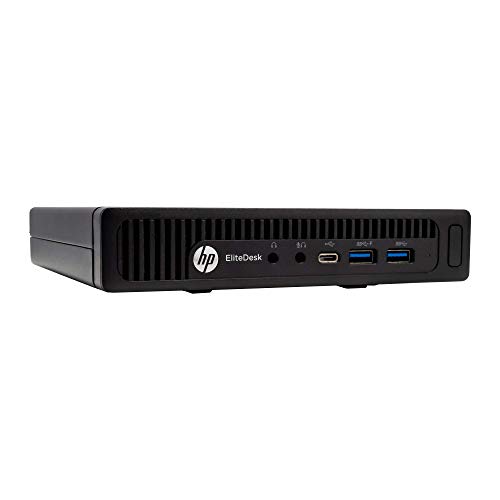
HP EliteDesk Desktop Mini i5 16GB RAM
Best for: budget-conscious office multitasking and legacy displays
- Use
- ✓ Business
- Processor
- Intel Quad-Core i5-6500T
- Installed RAM
- 16GB
- Storage Capacity
- 240GB SSD
- Memory Type
- DDR4
- Ethernet Ports
- 1x RJ-45
View on Amazon: HP EliteDesk Desktop Mini i5 16GB RAM Affiliate link
This compact business desktop delivers core workstation functionality in a 7.2-inch square chassis. It features an Intel Core i5-6500T quad-core processor paired with 16GB of DDR4 memory and a 240GB solid-state drive. You get front and rear connectivity, including six USB 3.0 ports, a USB Type-C port, and both DisplayPort and VGA outputs. It suits your workspace if you require standard office computing and legacy display support.
Pros
- 16GB DDR4 memory upgradable to 32GB across two slots
- Six USB 3.0 ports plus one front USB Type-C port
- DisplayPort and VGA outputs for dual monitor setups
- Includes bundled USB keyboard and mouse
Cons
- Compact 240GB SSD provides limited onboard storage
- Quad-core Intel Core i5-6500T uses older generation architecture
- Lacks a native HDMI port
Good fit if
- You need an office desktop with 16GB RAM for everyday administrative tasks.
- You use monitors that connect directly via VGA or DisplayPort.
- You require multiple front and rear USB ports for business peripherals.
Skip if
- You require extensive onboard storage capacity above 240GB out of the box.
- You need native HDMI output without using video adapters.
Verdict: HP EliteDesk Mini Core i5 Desktop provides reliable quad-core processing and 16GB of DDR4 memory for everyday office operations. Its compact footprint and legacy video options fit neatly into space-constrained work environments.
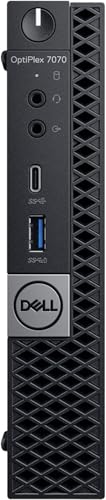
Dell OptiPlex Micro Core i5 PC
Best for: compact business desks running Windows 11 Pro
- Use
- ✓ Business
- Processor
- Intel Core i5-9500T
- Installed RAM
- 16GB
- Storage Capacity
- 256GB
- Operating System
- Windows 11 Pro
- Memory
- 16GB RAM
View on Amazon: Dell OptiPlex Micro Core i5 PC Affiliate link
The Dell OptiPlex Micro Intel i5 PC brings desktop business computing into a compact chassis measuring 7 by 7 by 1.5 inches. It features an Intel Core i5-9500T processor, 16GB of system memory, and a 256GB NVMe solid-state drive. Running Windows 11 Pro, this mini computer gives you essential office operating system capabilities. It suits you if your daily business workflow requires reliable processing and standard multitasking in small desk spaces.
Pros
- Intel Core i5-9500T processor
- 16GB installed system memory
- Preinstalled Windows 11 Pro operating system
- Compact footprint at 7 by 7 by 1.5 inches
Cons
- Base storage capacity limited to 256GB
- Chassis weight reaches 6 pounds
Good fit if
- You need Windows 11 Pro for business network management.
- You want a compact 7-inch chassis for limited workspace.
- You run office applications that benefit from 16GB RAM.
Skip if
- You need more than 256GB of internal storage out of the box.
- You require an ultra-lightweight mini computer under 6 pounds.
Verdict: Dell OptiPlex Micro Intel i5 PC delivers practical workplace performance with 16GB RAM and Windows 11 Pro in a 1.5-inch-thin profile. It handles typical office productivity without occupying valuable desk area.

KAMRUI Pinova Ryzen 7330U Mini PC
Best for: triple-monitor office workstations and everyday business tasks
- Processor
- AMD Ryzen 4300U
- Installed RAM
- 16GB
- Storage Capacity
- 512GB
- Memory Type
- LPDDR4
- Graphics
- AMD Radeon Vega 5
- Ethernet Ports
- Gigabit LAN
View on Amazon: KAMRUI Pinova Ryzen 7330U Mini PC Affiliate link
This compact desktop runs on an AMD Ryzen 7330U processor with 4 cores, 8 threads, and 16GB of LPDDR4X memory. It features triple 4K display support across HDMI, DisplayPort, and a 10Gbps USB-C port. You get a 256GB SSD with an extra M.2 slot for storage upgrades. It suits office workstations where you need multi-monitor productivity, spreadsheet crunching, and low power draw in a compact footprint.
Pros
- Triple 4K 60Hz display output via HDMI 2.0, DisplayPort 1.4, and USB-C
- AMD Ryzen 7330U 4-core, 8-thread Zen 3 processor with 15W TDP
- Dual M.2 2280 slots supporting up to 4TB internal storage expansion
- Compact 5.04-inch square chassis with included VESA mount bracket
Cons
- 256GB base SSD capacity is small for heavy local data storage
- LPDDR4X memory is fixed at 16GB without upgrade options
- Wired network connection is limited to standard Gigabit LAN
Good fit if
- You need to drive three independent 4K monitors at your desk.
- You want an energy-efficient 15W processor for daily multitasking.
- You plan to add a secondary M.2 2280 SSD for extra file storage.
Skip if
- You require more than 16GB of system RAM for your workload.
- You need out-of-the-box storage larger than 256GB without upgrading drives.
Verdict: KAMRUI Pinova Ryzen 7330U Mini PC delivers solid four-core Zen 3 business performance and triple 4K monitor support in a palm-sized chassis. It offers dual M.2 expansion options, though onboard RAM remains capped at 16GB.

Glorlin Ryzen 5 6600H Mini PC
Best for: hybrid business productivity and casual gaming
- Use
- ✓ Home, Business, Office, Gaming
- Processor
- AMD Ryzen 5 6600H
- Installed RAM
- 16GB
- Storage Capacity
- 1TB
- Memory Type
- LPDDR5 6400MHz
- Graphics
- AMD Radeon 660M
View on Amazon: Glorlin Ryzen 5 6600H Mini PC Affiliate link
This compact desktop pairs an AMD Ryzen 5 6600H processor with integrated Radeon 660M graphics, 16GB of fast LPDDR5 memory, and a 1TB SSD. You get dedicated display connectivity through HDMI and DisplayPort, alongside dual Gigabit LAN ports and WiFi 6. It suits you if you need a business machine capable of handling spreadsheet multitasking during the day and casual graphical workloads or light gaming after hours.
Pros
- AMD Ryzen 5 6600H 6-core processor with Radeon 660M graphics
- Fast 16GB LPDDR5 memory clocked at 6400MHz
- Dual Gigabit LAN ports plus WiFi 6 connectivity
- Spacious 1TB internal solid-state drive
Cons
- Uses Gigabit Ethernet rather than faster 2.5GbE
- LPDDR5 memory format offers no easy RAM module replacement
- Includes an older USB 2.0 port among peripheral connections
Good fit if
- You need integrated Radeon 660M graphics for mixed business tasks and casual gaming.
- You require dual wired network connections for business network routing or redundancy.
- You want 1TB of storage and 16GB of high-speed LPDDR5 RAM out of the box.
Skip if
- You require 2.5GbE networking for high-speed local data transfers.
- You plan to upgrade memory capacity down the road via standard DDR5 SODIMM slots.
Verdict: Glorlin Ryzen 5 6600H Mini PC delivers solid processing and graphics performance alongside dual network interfaces. It provides a balanced hardware setup for business desks that double for entertainment.

Lenovo ThinkCentre Tiny AMD Dual-Core Mini PC
Best for: basic office tasks with dual monitors
- Use
- ✓ Business
- Processor
- AMD A9-9420e
- Installed RAM
- 4GB
- Storage Capacity
- 500GB HDD
- Graphics
- AMD Radeon R5
- Ethernet Ports
- 1 x RJ-45
View on Amazon: Lenovo ThinkCentre Tiny AMD Dual-Core Mini PC Affiliate link
This Lenovo ThinkCentre Tiny desktop is a compact business PC built for basic office deployments. It features an AMD A9-9420e dual-core processor, 4GB of RAM, and a 500GB hard drive. With Windows 11 Pro preinstalled, it fits standard corporate environments that require basic workstation tasks. Dual DisplayPort outputs and six total USB ports allow you to connect dual monitors and common workplace accessories, making it suitable if you need an entry-level workstation.
Pros
- Windows 11 Pro operating system preinstalled
- Dual DisplayPort video outputs for multi-monitor support
- Six USB ports including three USB 3.0 ports
- Compact enclosure weighing 2.9 pounds
Cons
- Mechanical 500GB HDD instead of a solid-state drive
- 4GB installed RAM limits multitasking capacity
- AMD A9-9420e processor limited to two cores
Good fit if
- You need Windows 11 Pro for basic office operations.
- You connect two displays via DisplayPort.
- You require a small desktop under 1.5 inches tall.
Skip if
- You need high-speed solid-state storage.
- You run memory-intensive multitasking requiring more than 4GB RAM.
- You need more than two processing cores.
Verdict: Lenovo ThinkCentre Tiny Dual-Core Desktop provides essential business connectivity and Windows 11 Pro in a sub-three-pound chassis. Its dual-core processor, 4GB RAM, and mechanical hard drive fit basic office tasks rather than heavy workloads.

KAMRUI Pinova Ryzen 3 Pro Mini PC
Best for: Compact office setups with monitor mounting
- Use
- ✓ Home, Business
- Processor
- AMD Ryzen 3 Pro 7330U
- Installed RAM
- 8GB
- Storage Capacity
- 256GB
- Ethernet Ports
- 1x Gigabit
- Operating System
- Windows 11 Pro
View on Amazon: KAMRUI Pinova Ryzen 3 Pro Mini PC Affiliate link
This KAMRUI Pinova P1 Mini PC features an AMD Ryzen 3 Pro 7330U processor with 8GB RAM and a 256GB SSD. It runs Windows 11 Pro and supports triple displays at 4K resolution. The compact design includes dual-band Wi-Fi and gigabit Ethernet. It suits business users needing reliable performance in a small footprint.
Pros
- AMD Ryzen 3 Pro 7330U processor up to 4.3GHz
- Windows 11 Pro operating system preloaded
- Supports triple 4K@60Hz displays
- Compact dimensions of 3.94 x 3.94 x 1.18 inches
Cons
- Only 8GB of installed RAM
- Limited to 256GB SSD storage
- Wi-Fi 5 instead of Wi-Fi 6
Good fit if
- You need a compact PC for office tasks
- You require Windows 11 Pro features
- You want to mount the device behind a monitor
Skip if
- You need more than 8GB of RAM for heavy multitasking
- You require high-speed Wi-Fi 6 connectivity
- You need extensive storage beyond 256GB
Verdict: KAMRUI Pinova P1 Mini PC fits business users who prioritize a small footprint and Windows 11 Pro over higher memory or storage capacity.

Dell OptiPlex Micro i5 32GB Desktop
Best for: Business users needing high RAM and storage
- Use
- ✓ Business
- Processor
- Intel Core i5-10500T
- Installed RAM
- 32GB
- Storage Capacity
- 1TB
- Graphics
- Intel UHD Graphics
- Ethernet Ports
- 1 x RJ45
View on Amazon: Dell OptiPlex Micro i5 32GB Desktop Affiliate link
The Dell OptiPlex 7080 is a compact business desktop built for heavy multitasking. It features a six-core Intel Core i5-10500T processor and a generous 32GB of RAM. You get 1TB of SSD storage for fast data access and Windows 11 Pro for professional use. Wi-Fi 6 and multiple USB ports keep you connected. This system suits offices needing reliable performance and ample memory.
Pros
- 32GB high-bandwidth RAM for smooth multitasking
- 1TB SSD for fast bootup and data transfer
- Intel Core i5-10500T with 6 cores and 12 threads
- Windows 11 Pro operating system
- Wi-Fi 6 and Bluetooth connectivity
Cons
- Intel UHD Graphics limits gaming and video editing
- No dedicated discrete graphics card listed
- Limited to 1TB storage capacity
Good fit if
- You need 32GB of RAM for virtual machines or heavy apps
- You require a reliable Windows 11 Pro business machine
- You want fast storage with a 1TB SSD
Skip if
- You need high-end graphics for gaming or 3D work
- You prefer a newer processor generation than the i5-10500T
- You require more than 1TB of internal storage
Verdict: Dell OptiPlex 7080 32GB RAM is a solid choice for business users who prioritize memory capacity and storage speed over graphical performance.

ACEMAGIC Core i5 32GB RAM Mini PC
Best for: demanding business multitasking and triple-monitor setups
- Use
- ✓ Home, Business, Office
- Processor
- Intel Core 5 220H
- Installed RAM
- 24GB
- Storage Capacity
- 512GB
- Memory Type
- LPDDR5 6400MT/s
- Operating System
- Windows 11 Pro
View on Amazon: ACEMAGIC Core i5 32GB RAM Mini PC Affiliate link
This mini PC gives you an Intel Core 5 220H processor with 12 cores, 24GB of LPDDR5 memory, and Windows 11 Pro. It supports triple 4K displays and connects via WiFi 6 and Bluetooth 5.2. If you handle heavy multitasking, complex spreadsheets, and multiple monitors in your daily business workflow, this compact desktop delivers the processing power you need.
Pros
- Intel Core 5 220H with 12 cores and up to 4.9GHz boost
- 24GB of LPDDR5 memory running at 6400MT/s
- Triple 4K display output support
- WiFi 6 and Bluetooth 5.2 wireless connectivity
Cons
- PCIe 3.0 NVMe drive rather than faster PCIe 4.0
- 512GB internal storage ceiling out of the box
Good fit if
- You run multi-screen office setups across up to three 4K displays.
- You need 12 processor cores and 24GB RAM for heavy business multitasking.
Skip if
- You require more than 512GB of internal storage immediately.
- You need PCIe 4.0 read and write transfer rates.
Verdict: ACEMAGIC Core 5 220H Mini PC delivers robust 12-core performance and triple-display capability for professionals handling dense spreadsheets and multi-window business workflows.

BOSGAME E5 Ryzen 3 Mini PC
Best for: quiet desk setups needing single-cable USB-C power
- Use
- ✓ Home, Business, Office
- Processor
- AMD Ryzen 3 5300U
- Installed RAM
- 16GB
- Storage Capacity
- 512GB
- Memory Type
- DDR4 3200MHz
- Graphics
- AMD Radeon Graphics
View on Amazon: BOSGAME E5 Ryzen 3 Mini PC Affiliate link
This compact business desktop runs an AMD Ryzen 5300U 4-core processor alongside 16GB of RAM and a 512GB drive. You get pre-installed Windows 11 Pro and a full-function USB-C port supporting Power Delivery and video output over one cable. It operates under 25dB, making it a match if you need quiet office computing and flexible mounting options.
Pros
- Full-function USB-C port supports 10Gbps data, video output, and PD 3.0 power input
- Quiet cooling design keeps operational noise under 25dB
- Comes with 1-year full warranty and 3-year hardware component coverage
- Includes VESA mount to attach the unit behind a monitor
Cons
- Quad-core CPU provides fewer processing cores than 6-core alternatives on the list
- Rear USB connectivity is limited to USB 2.0 speeds
Good fit if
- You want single-cable power and display connectivity from a compatible USB-C monitor.
- You need an office machine that runs at low noise levels under 25dB.
- You want pre-installed Windows 11 Pro with support for Linux Ubuntu.
Skip if
- You require more than 4 CPU cores for high-load multithreaded business tasks.
- You need high-speed USB 3.2 data ports on the rear panel.
Verdict: BOSGAME Ryzen 5300U Business Mini PC suits business users who want quiet daily operation and clean single-cable desk setups using full-function USB-C.

GMKtec Nucbox Ryzen 5 2.5GbE Mini PC
Best for: offices needing 2.5GbE LAN and triple displays
- Use
- ✓ Home, Business, Office
- Processor
- AMD Ryzen 5 3500U
- Installed RAM
- 16GB
- Storage Capacity
- 512GB SSD
- Memory Type
- DDR4
- Graphics
- AMD Radeon Vega 8
View on Amazon: GMKtec Nucbox Ryzen 5 2.5GbE Mini PC Affiliate link
This GMKtec mini PC features an AMD Ryzen 5 3500U quad-core processor paired with 16GB of DDR4 memory and a 512GB SSD. Its primary asset for office deployment is a 2.5GbE Ethernet interface for high-speed wired networks. It supports triple-monitor setups through HDMI, DisplayPort, and USB-C, making it a functional option for multi-screen business workstations.
Pros
- 2.5GbE Ethernet port delivers up to 2500Mbps wired transfer rates
- Triple-display support using HDMI 2.1, DisplayPort 1.4, and USB-C
- Dual M.2 2280 PCIe 3.0 slots expand up to 16TB total storage
- Accepts standard 65W to 70W USB Type-C PD power input
Cons
- Uses older Wi-Fi 5 and Bluetooth 5.0 wireless standards
- Equipped with 12nm Zen+ processor architecture and DDR4 memory
Good fit if
- You need 2.5Gbps wired LAN speeds for fast internal file transfers.
- You run a multi-display office desk using up to three external screens.
- You prefer powering your desktop via a USB Type-C PD adapter.
Skip if
- You require modern Wi-Fi 6 wireless networking speeds.
- You need a newer generation processor with DDR5 RAM support.
Verdict: GMKtec Ryzen 5 3500U Mini PC delivers high-speed 2.5GbE networking, versatile triple-display connectivity, and dual M.2 expansion in a compact footprint.

Lenovo ThinkCentre Tiny Core Ultra PC
Best for: Compact business multitasking
- Use
- ✓ Business
- Processor
- Intel Core Ultra 3 205T
- Installed RAM
- 16GB
- Storage Capacity
- 512GB
- Memory Type
- DDR5
- Graphics
- Integrated Intel Graphics
View on Amazon: Lenovo ThinkCentre Tiny Core Ultra PC Affiliate link
This Lenovo Mini PC uses an Intel Core Ultra 3 205T processor for business tasks. It includes 16GB of DDR5 RAM and a 512GB NVMe SSD for fast performance. The compact Tiny form factor fits easily on desks. It runs Windows 11 Pro and supports Wi-Fi 6E. You get reliable multitasking and modern connectivity for office environments.
Pros
- Intel Core Ultra 3 205T processor
- 16GB DDR5 RAM
- 512GB NVMe SSD
- Wi-Fi 6E connectivity
- Windows 11 Pro
Cons
- Integrated Intel Graphics only
- 2.91 pounds weight
- 1.5 inches thickness limits airflow
Good fit if
- You need a compact PC for office multitasking
- You require Windows 11 Pro for business management
- You want fast DDR5 memory performance
Skip if
- You need dedicated graphics for heavy gaming
- You prefer a larger chassis for easy upgrades
- You require more than 16GB of RAM
Verdict: Lenovo ThinkCentre M70q Gen 6 Ultra suits business users who need a compact, modern PC with DDR5 speed. It fits well in space-constrained offices that prioritize reliable performance over raw graphical power.

Bmax Intel N4500 Mini PC
Best for: basic office tasks with dual 4K monitors
- Use
- ✓ Home, Business, Office
- Processor
- Intel N4500
- Installed RAM
- 8GB
- Storage Capacity
- 256GB
- Memory Type
- DDR4
- Graphics
- Intel UHD Graphics
View on Amazon: Bmax Intel N4500 Mini PC Affiliate link
This compact desktop runs Windows 11 Pro on a dual-core Intel N4500 processor. You get 8GB of DDR4 memory and a 256GB solid-state drive for routine business workloads. It features two HDMI 2.0 ports for dual 4K monitors and Gigabit Ethernet for office networks. This machine suits you if you handle spreadsheet work, web browsing, and administrative tasks.
Pros
- Dual HDMI 2.0 outputs supporting two 4K displays at 60Hz
- Dual M.2 SSD slots expandable up to 4TB
- Pre-installed Windows 11 Pro operating system
- Compact 1.5-pound chassis
Cons
- Intel N4500 processor has only 2 cores and 2 threads
- Base storage capacity is limited to 256GB
- Uses WiFi 5 connectivity rather than newer wireless standards
Good fit if
- You need a dual-screen workstation for basic office and administrative software.
- You want Windows 11 Pro alongside expandable dual M.2 storage options.
Skip if
- You require more than two processor cores for demanding multi-threaded business applications.
- You need more than 8GB of RAM out of the box for heavy multitasking.
Verdict: Bmax Intel N4500 Mini PC provides essential dual-display output and Windows 11 Pro for administrative staff handling document editing, web portals, and standard office software.

GMKtec G10 Ryzen 5 Mini PC
Best for: multi-monitor office desks and wired networking
- Use
- ✓ Home, Business, Office
- Processor
- AMD Ryzen 5 3500U
- Installed RAM
- 16GB
- Storage Capacity
- 512GB
- Graphics
- Radeon Vega 8
- Ethernet Ports
- 1x 2.5GbE
View on Amazon: GMKtec G10 Ryzen 5 Mini PC Affiliate link
The GMKtec Ryzen 5 3500U Mini PC offers a compact setup for everyday business workflows. It features a 4-core, 8-thread AMD processor paired with 16GB of dual-channel DDR4 RAM and a 512GB PCIe 3.0 SSD. A 2.5GbE Ethernet port provides fast wired connectivity, while HDMI, DisplayPort, and USB-C outputs support up to three 4K monitors simultaneously. This system suits you if you run standard office dashboards, browser tabs, and network tasks.
Pros
- 2.5GbE LAN port for fast wired network connectivity
- Triple 4K display support via HDMI, DisplayPort, and USB-C
- Dual M.2 2280 PCIe 3.0 slots for internal SSD expansion
- 16GB dual-channel DDR4 RAM upgradeable up to 32GB
Cons
- Uses older WiFi 5 standard instead of WiFi 6
- Maximum memory expansion is capped at 32GB
- Built on Zen+ 12nm processor architecture
Good fit if
- You need a multi-monitor business workstation running up to three 4K screens.
- You rely on a 2.5GbE wired network connection for office file transfers.
- You want dual M.2 slots for adding a second internal SSD.
Skip if
- You require WiFi 6 connectivity for your wireless office setup.
- You need more than 32GB of RAM for heavy database or virtual machine tasks.
Verdict: GMKtec Ryzen 5 3500U Mini PC delivers reliable business performance and triple-display flexibility with high-speed 2.5GbE networking in a compact footprint. It provides practical expansion options for standard office productivity.

KAMRUI Intel Core i5 Mini PC
Best for: Business multitasking and multi-monitor setups
- Use
- ✓ Business, Office
- Processor
- Intel Core i5-14450HX
- Installed RAM
- 16GB
- Storage Capacity
- 512GB
- Memory Type
- DDR4
- Graphics
- Intel UHD Graphics
View on Amazon: KAMRUI Intel Core i5 Mini PC Affiliate link
The KAMRUI H2 packs an Intel Core i5-14450HX processor with 16 cores and 24 gigahertz of boost speed into a compact silver chassis. It includes 16GB of DDR4 RAM and a 512GB PCIe 4.0 SSD. This setup handles large spreadsheets and business software efficiently. You get triple-display support and WiFi 6 connectivity. It suits professionals who need desktop-grade power in a small form factor for office tasks.
Pros
- Intel Core i5-14450HX processor with 10 cores and up to 4.8GHz speed
- 16GB DDR4 RAM expandable to 64GB
- 512GB PCIe 4.0 NVMe SSD
- Triple-display support with 4K@60Hz output
- WiFi 6 and Bluetooth 5.2 connectivity
Cons
- Uses DDR4 RAM instead of newer DDR5
- Intel UHD Graphics limits heavy graphics work
- Limited to 512GB storage in this configuration
Good fit if
- You need strong CPU performance for multitasking
- You require multiple monitors for your workflow
- You want expandable RAM and storage options
Skip if
- You require dedicated graphics for video editing
- You need the latest DDR5 memory standard
- You prefer a smaller chassis under 5 inches
Verdict: KAMRUI H2 i5-14450HX Mini PC delivers robust processing power for business users who prioritize speed and display flexibility over integrated graphics performance.
Specifications side by side
| Spec | HP EliteDesk Mini Core i5 PC | HP EliteDesk Desktop Mini i5 16GB RAM | Dell OptiPlex Micro Core i5 PC | KAMRUI Pinova Ryzen 7330U Mini PC | Glorlin Ryzen 5 6600H Mini PC | Lenovo ThinkCentre Tiny AMD Dual-Core Mini PC | KAMRUI Pinova Ryzen 3 Pro Mini PC | Dell OptiPlex Micro i5 32GB Desktop | ACEMAGIC Core i5 32GB RAM Mini PC | BOSGAME E5 Ryzen 3 Mini PC | GMKtec Nucbox Ryzen 5 2.5GbE Mini PC | Lenovo ThinkCentre Tiny Core Ultra PC | Bmax Intel N4500 Mini PC | GMKtec G10 Ryzen 5 Mini PC | KAMRUI Intel Core i5 Mini PC |
|---|---|---|---|---|---|---|---|---|---|---|---|---|---|---|---|
| Processor | Intel Core i5-8500T | Intel Quad-Core i5-6500T | Intel Core i5-9500T | AMD Ryzen 4300U | AMD Ryzen 5 6600H | AMD A9-9420e | AMD Ryzen 3 Pro 7330U | Intel Core i5-10500T | Intel Core 5 220H | AMD Ryzen 3 5300U | AMD Ryzen 5 3500U | Intel Core Ultra 3 205T | Intel N4500 | AMD Ryzen 5 3500U | Intel Core i5-14450HX |
| Installed RAM | 16GB | 16GB | 16GB | 16GB | 16GB | 4GB | 8GB | 32GB | 24GB | 16GB | 16GB | 16GB | 8GB | 16GB | 16GB |
| Storage Capacity | 256GB | 240GB SSD | 256GB | 512GB | 1TB | 500GB HDD | 256GB | 1TB | 512GB | 512GB | 512GB SSD | 512GB | 256GB | 512GB | 512GB |
| Memory Type | DDR4 | DDR4 | not stated | LPDDR4 | LPDDR5 6400MHz | not stated | not stated | not stated | LPDDR5 6400MT/s | DDR4 3200MHz | DDR4 | DDR5 | DDR4 | not stated | DDR4 |
| Graphics | not stated | not stated | not stated | AMD Radeon Vega 5 | AMD Radeon 660M | AMD Radeon R5 | not stated | Intel UHD Graphics | not stated | AMD Radeon Graphics | AMD Radeon Vega 8 | Integrated Intel Graphics | Intel UHD Graphics | Radeon Vega 8 | Intel UHD Graphics |
| Ethernet Ports | not stated | 1x RJ-45 | not stated | Gigabit LAN | Dual Gigabit LAN | 1 x RJ-45 | 1x Gigabit | 1 x RJ45 | not stated | Dual 2.5GbE | 2.5GbE | RJ-45 Gigabit Ethernet | Gigabit Ethernet | 1x 2.5GbE | not stated |
| Operating System | Windows 11 Pro | Windows 10 Pro 64-bit | Windows 11 Pro | not stated | not stated | Windows 11 Pro | Windows 11 Pro | Windows 11 Pro | Windows 11 Pro | Windows 11 Pro | not stated | Windows 11 Pro | Windows 11 Pro | not stated | Win-11 Pro |
| Memory | 16GB RAM | 16GB RAM | 16GB RAM | 16GB RAM | not stated | 4GB RAM | 8GB RAM | 32GB RAM | not stated | 16GB RAM | 16GB RAM | not stated | 8GB RAM | 16GB RAM | 16GB RAM |
| Storage | 256GB SSD | 240GB SSD | 256GB SSD | 512GB SSD | 1TB SSD | not stated | 256GB SSD | 1TB SSD | not stated | 512GB SSD | 512GB SSD | 512GB SSD | not stated | 512GB SSD | not stated |
| Use | Business | Business | Business | Home | Home, Business, Office, Gaming | Business | Home, Business | Business | Home, Business, Office | Home, Business, Office | Home, Business, Office | Business | Home, Business, Office | Home, Business, Office | Business, Office |
| Networking | not stated | not stated | not stated | not stated | WiFi 6 | not stated | not stated | not stated | WiFi 6 | not stated | 2.5G LAN | WiFi 6E | not stated | 2.5G LAN | not stated |
| Connectivity | not stated | not stated | not stated | not stated | not stated | not stated | not stated | not stated | not stated | not stated | not stated | not stated | WiFi 5 | not stated | not stated |
| Dimensions | 7 × 7 × 1.25 inches | 7.2 × 7.2 × 1.9 inches | 7 × 7 × 1.5 inches | 5.04 × 5.04 × 1.63 inches | not stated | 7.2 × 7.05 × 1.44 inches | 3.94 × 3.94 × 1.18 inches | 7.2 × 1.4 × 7 inches | not stated | not stated | 4.1 × 3.8 × 1.7 inches | 7.05 × 1.5 × 7.2 inches | 4.92 × 4.41 × 1.34 inches | 3.86 × 1.65 × 4.06 inches | 5.1 × 5.1 × 1.7 inches |
| Weight | 2.93 pounds | 6 pounds | 6 pounds | 1.26 pounds | not stated | 2.9 pounds | 1.37 pounds | not stated | not stated | not stated | 10 ounces | 2.91 pounds | 9.6 ounces | not stated | not stated |
| Color | Black | Core I5 6500T/240G SSD | Black | Silver | Blue+Silver | Black | Black | black | not stated | Blue2 | Silver | Black | Dark Gray | Silver | Silver |
| Model | 800G4 | 16GB RAM | Optiplex 7070 | P2 | GT103 | ThinkCentre M625q | P1 | 7080 | M5 | E5 | G10 | ThinkCentre M70q Gen 6 | B3 Pro | G10 | H2 |
| Size | not stated | 16 GB DDR4 RAM, 240 GB SSD | Mini | 16GB RAM+512GB SSD/AMD Ryzen 4300U | R5 6600H+16GB+1TB | not stated | 8GB+256GB/Ryzen 3 Pro 7330U | 32GB RAM | 1TB SSD | 220H+24GB+512GB | 16GB 512GB | R5 3500U 16GB DDR4+512GB | 16GB DDR5 | 512GB NVMe | B3 Pro-8GB+256GB-N4500 | G10-16+512GB | Intel Core i5-14450HX /16GB+512GB Silvery |
Is a Business Mini PC Worth It?
Mini PCs designated for business typically configure hardware around workplace networking and system management. In these specifications, business classification aligns with Windows 11 Pro operating systems for administrative domain environments, along with enterprise chassis designs like Dell OptiPlex, HP EliteDesk, and Lenovo ThinkCentre. You also get specific office connectivity, including dual 2.5G LAN ports, Gigabit Ethernet, and multi-display outputs across DisplayPort or HDMI. Choosing a business-labeled unit gives you baseline networking standards and professional OS editions suited for deployment into managed workplace infrastructures without needing immediate software reconfigurations.
Worth it if
- You need Windows 11 Pro preinstalled for corporate domain joining or network management.
- You require dedicated business networking ports like 2.5G LAN or Gigabit Ethernet for wired office infrastructure.
- You deploy hardware into continuous workplace setups requiring multi-display output support.
Skip it if
- You only handle casual home browsing or media streaming that does not require professional operating system tools.
- You do not require wired enterprise networking ports like 2.5GbE or dual LAN interfaces.
How We Picked Business Mini PCs
To select the 15 models in this guide, we evaluate published specifications and feature lists on Amazon listings. A computer qualifies when the manufacturer states business use directly in the title or product details. We include only one configuration per product family so you see a distinct range of office hardware. We do not physically handle the hardware, basing our assessments entirely on published manufacturer data.
We order the products with products in stock first, then by Amazon sales rank (better-selling products first). This layout highlights dependable workplace systems equipped with multi-core processors, responsive solid-state drives, and Windows operating systems. The page updates stock availability daily, helping you review relevant desktop options for your office in 2026.
How to Choose a Business Mini PC
-
Select the Right Processor Tier
Check the processor model and architecture listed on the specifications. Basic administrative duties run effectively on entry-level options like the Intel N95 or dual-core chips. Standard office multitasking benefits from quad-core or six-core processors like the Intel Core i5 and AMD Ryzen 5 lines. For heavier enterprise workloads, look for higher core counts, such as the 12-core CPU found in the ACEMAGIC Intel Core i5 Mini PC. Evaluating the specific processor tier ensures your desktop maintains responsive performance during busy workdays.
-
Evaluate Storage Type and Capacity
Examine internal storage capacity and drive technology to avoid performance bottlenecks. Solid-state drives deliver significantly faster boot times and responsive file loading compared to mechanical hard drives. Capacity in business mini PCs ranges from 240GB up to 1TB SSDs. If your daily workflow requires local file storage and room for future upgrades, check for expandable storage architecture. The KAMRUI Pinova Ryzen 7330U Mini PC offers dual M.2 expansion options, allowing you to add extra solid-state drives without replacing your primary business system drive.
-
Verify Multi-Display Output Support
Assess the video output specifications if your business workstation relies on multiple monitors. Many modern business desktops support dual screens, which suits standard spreadsheet and document workflows. If you need expansive screen space for spreadsheets, video calls, and dashboards, look for triple 4K monitor support. The GMKtec Nucbox Ryzen 5 2.5GbE Mini PC provides versatile triple-display capabilities for multi-screen arrangements. Review the available display connections in the specs to confirm they match your office monitors without requiring extra adapters.
-
Check Wired and Wireless Networking
Review the networking hardware to match your office data transfer demands. Standard business operations run smoothly on Gigabit Ethernet or WiFi 6. If your workplace moves large local files, accesses network storage, or runs constant network traffic, look for 2.5GbE ports or dual network interfaces. The GMKtec Ryzen Embedded Dual LAN Mini PC features dual 2.5G LAN ports, making it ideal for dedicated networked environments. Checking both wired and wireless networking specs ensures fast, stable connectivity for your office network setup.
-
Measure Desk Footprint and Dimensions
Check the physical dimensions and weight to ensure the computer fits your desk layout. Business mini PCs vary from palm-sized enclosures measuring around 4 inches across to desktop chassis reaching over 7 inches. Thickness also differs, with slim units measuring between 1.25 and 1.9 inches high. The HP EliteDesk Mini Core i5 PC features a low-profile 1.25-inch height and a 7-inch footprint. If you have limited desk space, verifying these measurements ensures the unit tucks neatly beside or behind your workspace monitor.
Frequently asked questions
Can a mini PC support multiple monitors in an office?
Yes, several compact business models support multi-display setups. For instance, the KAMRUI Pinova Ryzen 7330U Mini PC provides triple 4K monitor support. The GMKtec G10 Ryzen 5 Mini PC also offers triple-display flexibility, allowing you to view multiple spreadsheets, documents, or dashboards simultaneously across separate screens.
How much storage space is typical on a business mini PC?
Storage needs depend on whether your workplace relies on cloud storage or local files. Drive sizes in these configurations range from 240GB solid-state drives up to 1TB SSDs. Options like the HP EliteDesk 800 G6 and Dell OptiPlex Micro 7080 provide 1TB SSDs for storing large local file libraries.
Which wireless networking standards are used by business mini PCs?
You will encounter different Wi-Fi generations depending on the hardware platform. For instance, the Bmax B3PRO lists WiFi 5 connectivity, whereas the Glorlin GT103 features WiFi 6. The Lenovo ThinkCentre M70q Gen 6 supports WiFi 6E, offering compatibility with faster, lower-congestion wireless office networks.
How compact are business mini PCs compared to traditional desktops?
Business mini desktops occupy minimal desk space and carry low chassis weights. The KAMRUI Pinova E2 weighs just 9.52 ounces with a footprint under four inches square. Even full-featured enterprise models, such as the HP EliteDesk 800G4, weigh only 2.93 pounds with a 1.25-inch chassis height.
Do mini PCs offer high-speed wired network connections for business use?
Yes, specific workplace models feature high-speed wired Ethernet ports. The GMKtec Nucbox Ryzen 5 Mini PC includes 2.5G LAN connectivity. A 2.5GbE interface enables faster communication over compatible local office networks, aiding file transfers between your workstation and local network storage devices.
Do business mini PCs use DDR4 or DDR5 RAM?
You will find both DDR4 and DDR5 memory depending on the machine generation. The HP EliteDesk Desktop Mini i5 uses 16GB of DDR4 memory. In contrast, the Lenovo ThinkCentre M70q Gen 6 features DDR5 memory, providing higher data rates for business multitasking.
See also
- best mini PCs for office
- best mini PCs for gaming
- best mini PCs for industrial
- best mini PCs under 150
- best mini PCs under 200
- Best Mini PCs Under $300: 15 Spec-Based Picks
- 15 Best Mini PCs Under $500, Compared
- Best Mini PCs Under $1000 in 2026: 15 Picks Ranked by Specs
- best mini mechanical keyboards
- best Mini-ITX motherboards