Best Dell Mini PCs with 512GB SSD in 2026: 8 Picks
As an Amazon Associate we earn from qualifying purchases. Links on this page are affiliate links.
These are the best dell mini PCs with 512GB SSD for your workspace. The Dell Optiplex Micro Core i7 Desktop leads because it combines a powerful 16-core processor with 16GB of RAM in a compact chassis. We compared 8 models using only the specifications published on their listings. This approach ensures you see the actual hardware details, not marketing claims. Each pick serves a specific need, from budget options to high-memory multitasking. This guide helps you decide which form factor and specs match your desk space and workflow requirements.
Quick picks
The best fit for you
- You need the most compact overall desktop Dell Optiplex Micro Core i7 Desktop The OptiPlex 7010 Micro measures just 1.42 inches tall with an Intel Core i7 and 16GB RAM.
- You require heavy multitasking in small spaces Dell OptiPlex Micro Core i7 Mini PC This model pairs an Intel Core i7 with 32GB RAM for intensive office workloads.
- You want dual-screen productivity workstations Dell OptiPlex Dual 32-Inch Curved PC It includes dual 32-inch curved monitors and 32GB RAM for expansive multi-screen setups.
- You need DDR5 speed for business use Dell Pro Micro Core Ultra 5 Mini PC The Pro Micro Ultra 5 offers DDR5 memory and WiFi 6E for modern connectivity.
Our 8 picks

Dell Optiplex Micro Core i7 Desktop
Best for: compact multi-monitor office computing
- Storage
- 512GB SSD (what this guide is about)
- Processor
- Intel Core i7-13700T
- Installed RAM
- 16GB
- Storage Capacity
- 512GB SSD
- Memory Type
- DDR4-3200
- Ethernet Ports
- Gigabit Ethernet
View on Amazon: Dell Optiplex Micro Core i7 Desktop Affiliate link
This Dell OptiPlex 7010 Micro pairs an Intel 13th Gen Core i7-13700T 16-core processor with a 512GB PCIe SSD and 16GB of DDR4 RAM. It measures 1.42 inches thin and includes dual monitor outputs via DisplayPort 1.4a and HDMI 1.4b. You get Windows 11 Pro preinstalled, Wi-Fi 6 connectivity, and VESA mounting capability. It suits you if you need heavy multitasking power inside a compact desktop setup.
Pros
- 16-core Intel Core i7-13700T processor reaching up to 4.90GHz
- Fast 512GB PCIe SSD storage
- Intel Wi-Fi 6 AX211 and Bluetooth connectivity
- Dual display support via DisplayPort 1.4a and HDMI 1.4b
- Compact 1.42-inch thick chassis with VESA mount support
Cons
- No USB-C ports on the chassis
- Uses DDR4 memory instead of DDR5
- HDMI output limited to version 1.4b
Good fit if
- You need a 16-core processor for multi-threaded office workloads.
- You run two monitors simultaneously via DisplayPort and HDMI.
- You need a compact VESA-mountable chassis with Windows 11 Pro.
Skip if
- You need native USB-C ports for modern peripherals.
- You require high-speed DDR5 memory.
Verdict: Dell OptiPlex 7010 Micro Core i7 delivers 16-core processing speed and 512GB SSD storage in an ultra-compact desktop design. It provides solid connectivity with Wi-Fi 6 and dual digital video outputs.

Dell OptiPlex Micro Intel i5
Best for: compact office multitasking and everyday productivity
- Storage
- 512GB SSD (what this guide is about)
- Processor
- Intel Core i5-10500T
- Installed RAM
- 16GB
- Storage Capacity
- 512GB
- Memory Type
- DDR4
- Operating System
- Windows 11 Pro
View on Amazon: Dell OptiPlex Micro Intel i5 Affiliate link
This compact desktop features a 10th Gen six-core Intel Core i5-10500T processor, 16GB of DDR4 RAM, and a 512GB SSD. Measuring 7 by 7 by 1.4 inches, it occupies minimal desk space while running Windows 11 Pro. You get integrated Wi-Fi and Bluetooth connectivity for peripheral setups. It fits office multitasking, data analysis, and general productivity if you need dependable hardware in a small 39.8-cubic-inch chassis.
Pros
- 10th Gen 6-core Intel Core i5-10500T processor
- 16GB DDR4 RAM for multitasking
- 512GB solid-state drive
- Compact 7 by 7 by 1.4 inch footprint
- Built-in Wi-Fi and Bluetooth support
Cons
- Features 10th Gen CPU instead of newer generation
- DDR4 memory standard rather than faster DDR5
- Renewed hardware rather than factory new
Good fit if
- You need a 6-core Intel processor for office applications and multitasking.
- You want 16GB of RAM and a 512GB SSD in a sub-40-cubic-inch chassis.
- You require Windows 11 Pro preinstalled with wireless connectivity.
Skip if
- You require a newer generation Intel processor or DDR5 memory.
- You prefer a brand-new computer rather than a renewed unit.
Verdict: Dell OptiPlex Micro Core i5 Desktop delivers 6-core processing, 16GB DDR4 RAM, and 512GB storage in an ultra-compact chassis. It handles standard office workloads efficiently while taking up minimal desk space.

Dell OptiPlex 3060 SFF i5-8500T
Best for: Users needing 16GB RAM in a standard SFF case
- Storage
- 512GB SSD (what this guide is about)
- Processor
- Intel Core i5-8500T
- Installed RAM
- 16GB
- Storage Capacity
- 512GB
- Memory Type
- DDR4
- Operating System
- Windows 11 Pro
View on Amazon: Dell OptiPlex 3060 SFF i5-8500T Affiliate link
The Dell OptiPlex 3060 SFF is a small form factor desktop featuring an 8th Gen Intel Core i5-8500T processor. It includes 16GB of DDR4 RAM and a 512GB SSD for fast data access. This system runs Windows 11 Pro and supports Wi-Fi and Bluetooth. It is a practical choice for users who need reliable multi-tasking performance in a compact chassis. The renewed unit comes with US-based technical support.
Pros
- Intel Core i5-8500T hexa-core processor
- 16GB DDR4 RAM for smooth multi-tasking
- 512GB SSD for fast storage access
- Windows 11 Pro operating system
Cons
- Older 8th generation Intel processor compared to 10th and 13th gen options on this list
- SFF chassis is larger than Micro or Tiny form factors
Good fit if
- You need 16GB of RAM for productivity tasks
- You require Windows 11 Pro for business features
- You prefer a standard SFF size over Micro dimensions
Skip if
- You need the latest 13th Gen Intel performance
- You require the smallest possible Micro or Tiny footprint
- You want a newer generation CPU for future-proofing
Verdict: Dell OptiPlex 3060 SFF i5-8500T fits users who prioritize ample RAM and a proven 8th Gen processor over the newest chip generations or the smallest possible footprint.
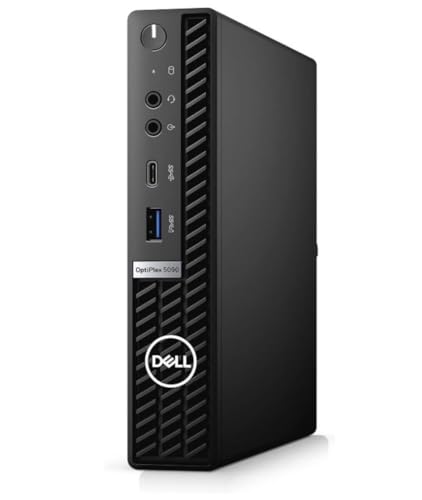
Dell OptiPlex Micro Core i7 Mini PC
Best for: memory-heavy office multitasking in tight workspaces
- Storage
- 512GB SSD (what this guide is about)
- Processor
- Intel Core i7-10700T
- Installed RAM
- 32GB
- Storage Capacity
- 512GB
- Memory Type
- DDR4
- Graphics
- Intel UHD Graphics 630
View on Amazon: Dell OptiPlex Micro Core i7 Mini PC Affiliate link
This Dell OptiPlex micro desktop features an 8-core Intel Core i7-10700T processor paired with 32GB of DDR4 memory and a 512GB PCIe solid state drive. It includes dual DisplayPort 1.4 video outputs, one USB 3.2 Gen 2x1 Type-C port, and four USB 3.2 Gen 1 ports. Windows 11 Pro comes preinstalled. You get a mouse and keyboard in the box. This machine suits you if you need substantial memory for multitasking.
Pros
- 32GB DDR4 memory handles heavy multitasking
- 8-core Intel Core i7-10700T processor boosts up to 4.50 GHz
- Dual DisplayPort 1.4 video connections
- Includes USB 3.2 Gen 2x1 Type-C and four USB 3.2 Gen 1 ports
- USB keyboard and mouse included
Cons
- Uses older 10th Generation Intel processor architecture
- Relies on integrated Intel UHD Graphics 630
- No native HDMI display port
Good fit if
- You need 32GB of RAM for data-heavy business applications.
- You plan to connect dual monitors via DisplayPort 1.4.
- You want preinstalled Windows 11 Pro with included peripherals.
Skip if
- You require native HDMI video ports without adapters.
- You need newer generation Intel CPU performance.
Verdict: Dell OptiPlex Micro Core i7 32GB RAM pairs an eight-core processor with 32GB of memory for capable desktop multitasking. It offers versatile DisplayPort connectivity and Windows 11 Pro in a space-saving micro form factor.
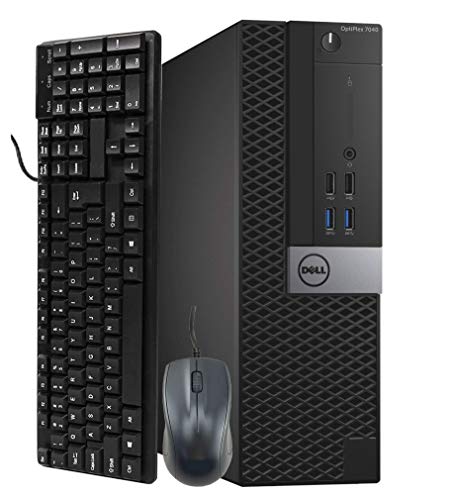
Dell OptiPlex Dual 32-Inch Curved PC
Best for: dual-screen productivity workstations
- Storage
- 512GB SSD (what this guide is about)
- Processor
- Intel Core i5
- Installed RAM
- 32GB
- Storage Capacity
- 512GB
- Graphics
- Nvidia GT 1030 2GB
- Ethernet Ports
- RJ-45
View on Amazon: Dell OptiPlex Dual 32-Inch Curved PC Affiliate link
This Dell OptiPlex bundle pairs a desktop unit with two 32-inch curved monitors. It features an Intel Core i5 processor, 32GB of RAM, and a 512GB SSD for running your daily workloads. A dedicated Nvidia GT 1030 2GB graphics card provides HDMI and DisplayPort video outputs. This setup suits you if you need a high-memory workstation with expansive multi-display screen space right out of the box.
Pros
- Includes dual 32-inch curved monitors
- 32GB RAM handles heavy multitasking
- Dedicated Nvidia GT 1030 2GB graphics card
- Ten total USB ports including six USB 3.0
- Includes keyboard, mouse, and USB Wi-Fi adapter
Cons
- No internal DVD ROM optical drive
- Uses an external USB adapter for Wi-Fi
- Chassis footprint of 11.5 by 11.9 inches is larger than micro-sized PCs
Good fit if
- You want a complete dual-monitor setup with two 32-inch curved displays included.
- You require 32GB of RAM for memory-heavy multitasking.
- You need dedicated Nvidia GT 1030 graphics with DisplayPort and HDMI outputs.
Skip if
- You need an ultra-compact micro PC that mounts behind a single screen.
- You require an internal optical disc drive.
Verdict: Dell OptiPlex with Dual 32-Inch Curved Monitors delivers 32GB of RAM and dedicated Nvidia graphics alongside an expansive twin-display setup. It provides a comprehensive multi-screen desktop workspace for demanding daily productivity.
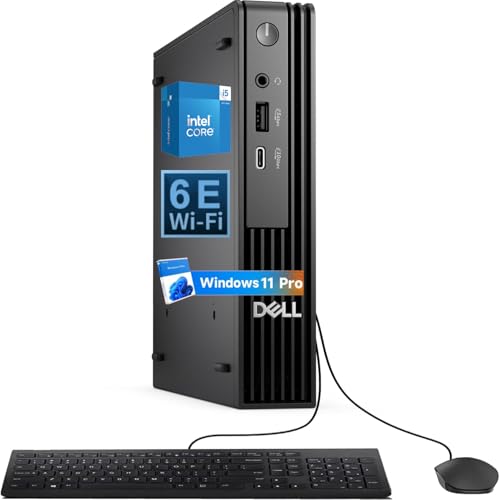
Dell Pro Micro Core Ultra 5 Mini PC
Best for: compact business setups needing DDR5 speed
- Storage
- 512GB SSD (what this guide is about)
- Processor
- Intel Core Ultra5 235T
- Installed RAM
- 16GB
- Storage Capacity
- 512GB
- Memory Type
- DDR5
- Operating System
- Windows 11 Pro
View on Amazon: Dell Pro Micro Core Ultra 5 Mini PC Affiliate link
The Dell Pro Micro Next-Generation is a compact business desktop powered by the Intel Core Ultra5 235T processor. It includes 16GB of DDR5 RAM and a 512GB PCIe NVMe SSD for fast storage. This model runs Windows 11 Pro and features WiFi 6E for reliable connectivity. Its small chassis saves desk space and supports VESA mounting. It suits users needing modern business tools in a tiny footprint.
Pros
- Intel Core Ultra5 235T processor with speeds up to 5GHz
- 16GB DDR5 RAM for efficient multitasking
- 512GB PCIe NVMe SSD for quick boot times
- WiFi 6E connectivity for stable wireless connections
Cons
- 16GB RAM is lower than the 32GB option in other list picks
- Intel Core Ultra5 235T is a lower-tier CPU than the i7-13700T in the top pick
Good fit if
- You need a modern, compact business PC with DDR5 memory
- You want a device that supports VESA mounting behind a monitor
- You require WiFi 6E for reliable wireless performance
Skip if
- You need maximum processing power and prefer an i7 processor
- You require more than 16GB of RAM for heavy workloads
- You are looking for the previous OptiPlex 7020 branding instead of the Pro Micro line
Verdict: Dell Pro Micro Ultra 5 is a capable compact desktop for users who value DDR5 speed and modern connectivity over raw CPU power. It fits buyers who need a small, professional machine with WiFi 6E for their workspace.

Dell OptiPlex Thin Client Mini PC
Best for: compact office desks and thin-client tasks
- Storage
- 512GB SSD (what this guide is about)
- Processor
- Intel Pentium Silver N6005
- Installed RAM
- 16GB
- Storage Capacity
- 512GB
- Memory Type
- DDR4
- Ethernet Ports
- Gigabit Ethernet
View on Amazon: Dell OptiPlex Thin Client Mini PC Affiliate link
This Dell OptiPlex thin client mini PC is built for low-power daily computing. It features an Intel Pentium Silver N6005 quad-core processor paired with 16GB of DDR4 memory and a 512GB PCIe SSD. You get Windows 11 Pro preinstalled, alongside dual DisplayPort 1.4 outputs and six USB ports. Measuring 1.42 inches wide, this ultra-compact desktop suits you if your daily workflow focuses on office tasks, web browsing, and space saving.
Pros
- Slim 1.42-inch wide ultra-compact chassis
- Dual DisplayPort 1.4 video outputs
- Includes wired keyboard and mouse
- Hardware security via built-in TPM 2.0
Cons
- Entry-level Pentium Silver CPU rather than a Core-series processor
- No HDMI or USB-C ports listed in the specifications
- No Wi-Fi connectivity listed in the data
Good fit if
- You need an ultra-slim desktop that fits tight desk spaces or mounts behind a screen.
- You want dual DisplayPort connectivity for a multi-monitor business workstation.
- You run standard web applications, office documents, and light multitasking.
Skip if
- You require the processing power of an Intel Core i5 or i7 CPU.
- You need native HDMI outputs without buying separate DisplayPort adapters.
Verdict: Dell OptiPlex Thin Client Mini PC delivers dependable entry-level performance and dual-display support in an exceptionally slim enclosure. It is a sensible fit for administrative stations and spaces where a full-sized desktop will not fit.
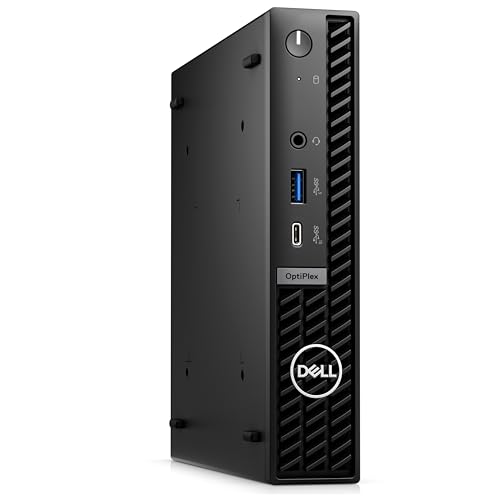
Dell OptiPlex Micro Intel i5 14-Core PC
Best for: compact corporate and multi-monitor office setups
- Storage
- 512GB SSD (what this guide is about)
- Processor
- Intel Core i5-14500
- Installed RAM
- 16GB
- Storage Capacity
- 512GB
- Graphics
- Intel HD Graphics 770
- Ethernet Ports
- Gigabit Ethernet
View on Amazon: Dell OptiPlex Micro Intel i5 14-Core PC Affiliate link
This Dell OptiPlex micro desktop packs a 14-core Intel Core i5 processor, 16GB RAM, and a 512GB SSD into a compact chassis. You get Windows 11 Pro preinstalled, alongside Gigabit Ethernet, DisplayPort, HDMI, and VGA outputs for multi-monitor setups. It suits business environments where you need modern desktop processing power and diverse display connections without occupying desk space.
Pros
- 14-core Intel Core i5-14500 processor
- Windows 11 Pro operating system
- Triple display support via DisplayPort, HDMI, and VGA
- Includes USB Type-C and fast USB 3.2 Gen 2 ports
Cons
- Integrated Intel HD Graphics 770 instead of a dedicated GPU
- Base storage capacity is limited to 512GB
Good fit if
- You need Windows 11 Pro for professional or business use.
- You run multi-monitor workstations requiring HDMI, DisplayPort, or legacy VGA.
- You require multi-threaded processing power from a 14-core CPU.
Skip if
- You require a dedicated graphics card for heavy 3D rendering workloads.
- You need more than 512GB of internal storage immediately out of the box.
Verdict: Dell OptiPlex Micro Intel Core i5 Desktop delivers strong 14-core computing power and versatile display outputs in a compact frame. It provides the right connectivity and operating system for professional workspaces.
Specifications side by side
| Spec | Dell Optiplex Micro Core i7 Desktop | Dell OptiPlex Micro Intel i5 | Dell OptiPlex 3060 SFF i5-8500T | Dell OptiPlex Micro Core i7 Mini PC | Dell OptiPlex Dual 32-Inch Curved PC | Dell Pro Micro Core Ultra 5 Mini PC | Dell OptiPlex Thin Client Mini PC | Dell OptiPlex Micro Intel i5 14-Core PC |
|---|---|---|---|---|---|---|---|---|
| Processor | Intel Core i7-13700T | Intel Core i5-10500T | Intel Core i5-8500T | Intel Core i7-10700T | Intel Core i5 | Intel Core Ultra5 235T | Intel Pentium Silver N6005 | Intel Core i5-14500 |
| Installed RAM | 16GB | 16GB | 16GB | 32GB | 32GB | 16GB | 16GB | 16GB |
| Storage Capacity | 512GB SSD | 512GB | 512GB | 512GB | 512GB | 512GB | 512GB | 512GB |
| Memory Type | DDR4-3200 | DDR4 | DDR4 | DDR4 | not stated | DDR5 | DDR4 | not stated |
| Graphics | not stated | not stated | not stated | Intel UHD Graphics 630 | Nvidia GT 1030 2GB | not stated | not stated | Intel HD Graphics 770 |
| Ethernet Ports | Gigabit Ethernet | not stated | not stated | 1x RJ45 | RJ-45 | not stated | Gigabit Ethernet | Gigabit Ethernet |
| Operating System | Windows 11 Pro | Windows 11 Pro | Windows 11 Pro | Windows 11 Pro | Windows 11 Pro | Windows 11 Pro | Windows 11 Pro | Windows 11 Pro |
| Memory | 16GB RAM | 16GB RAM | 16GB RAM | 32GB RAM | 32GB RAM | not stated | 16GB RAM | not stated |
| Storage | 512GB SSD | 512GB SSD | 512GB SSD | 512GB SSD | 512GB SSD | 512GB SSD | 512GB SSD | 512GB SSD |
| Use | not stated | not stated | not stated | not stated | not stated | Business | not stated | Business |
| Networking | WiFi 6 | not stated | not stated | not stated | not stated | WiFi 6E | not stated | WiFi 6E |
| Form Factor | not stated | not stated | not stated | not stated | not stated | not stated | Thin Client | not stated |
| Dimensions | 7.17 × 7.01 × 1.42 inches | 7 × 7 × 1.4 inches | 11.5 × 3.7 × 11.4 inches | not stated | 11.9 × 4 × 11.5 inches | not stated | 7 × 1.42 × 7.17 inches | 7.01 × 1.42 × 7.17 inches |
| Weight | 2.41 pounds | not stated | not stated | not stated | not stated | not stated | not stated | 2.95 pounds |
| Size | Intel i7 | 16GB | 512GB | 39.8 cubic inches | SFF | not stated | Dual 32 Inch Curved | not stated | 16GB RAM | 512GB SSD | 16GB DDR5 RAM, 512GB PCIe SSD |
| Color | Black | Black | Black | Black | Dual 32 Inch Curved | not stated | not stated | Black |
| Model | Optiplex 7010 Micro | Dell OptiPlex 3080 Micro Desktop | Dell OptiPlex 3060 SFF Desktop | OptiPlex 5090 Micro Desktop | OptiPlex | QCM1250 | 3000 | 7020 MFF |
If you need options beyond Dell, you can evaluate the best mini PCs with 512GB SSD from other manufacturers.
How to choose the right Dell Mini PC
-
Match CPU cores to workload
Processor speed determines how quickly your computer handles tasks. The Dell OptiPlex 7010 Micro features a 16-core Intel Core i7 for heavy processing. The OptiPlex 7020 MFF offers 14 cores for business efficiency. Standard office workloads run well on the 6-core Intel Core i5 in the OptiPlex 3080 Micro. Choose higher core counts if you run multiple applications simultaneously. Lower core counts suffice for basic email and web browsing.
-
Select RAM based on multitasking
Memory capacity affects how many programs you can run at once. Most listed models include 16GB RAM, which suits standard productivity tasks. If you require heavy multitasking, consider the OptiPlex 5090 Micro with 32GB RAM. This model pairs eight cores with ample memory for demanding workflows. The dual-screen setup also includes 32GB RAM for expansive workspaces. Verify the RAM specification before purchasing to ensure smooth performance for your specific needs.
-
Verify network connectivity options
Networking capabilities impact your connection speed and stability. The OptiPlex 7010 Micro includes Wi-Fi 6 for reliable wireless performance. The OptiPlex 7020 MFF features Wi-Fi 6E for faster data transfer rates. Check if your workspace requires specific wireless standards. Some models do not list networking specs in the provided data. Ensure the chosen device supports the internet infrastructure in your office environment for consistent connectivity.
-
Check physical dimensions for fit
Size matters for placement under desks or on mounts. The OptiPlex 7010 Micro measures 7.01 inches wide and 1.42 inches high. The OptiPlex 3080 Micro is roughly 7 inches square with a 1.4-inch height. The OptiPlex 7020 MFF shares similar compact dimensions. Verify your mounting bracket or desk space accommodates these measurements. The thin client model is exceptionally slim for tight administrative stations. Accurate dimensions ensure the hardware fits your physical workspace constraints.
-
Confirm operating system compatibility
All listed Dell models ship with Windows 11 Pro. This ensures compatibility with most business software and security features. Verify that your applications support this operating system version. The consistent OS across the lineup simplifies management for IT teams. No alternative operating systems are listed for these specific configurations. Confirming Windows 11 Pro compatibility ensures immediate usability upon setup without additional driver or OS installation steps.
Frequently asked questions
Which Dell mini PC has the smallest footprint?
The OptiPlex 7010 Micro is the most compact option. It measures 7.01 inches wide and 1.42 inches tall. This ultra-compact design fits easily in tight workspaces. It pairs this small size with a 16-core Intel Core i7 processor. The unit weighs just 2.41 pounds, making it easy to mount or move.
Do all these models run Windows 11 Pro?
Yes, every listed Dell mini PC includes Windows 11 Pro. This operating system is standard across all eight picks. It provides the necessary business features for professional environments. You get consistent software compatibility regardless of which form factor you choose, from the micro to the SFF models.
Which model offers the most RAM for multitasking?
The OptiPlex Micro Core i7 Mini PC and the OptiPlex Dual 32-Inch Curved PC both offer 32GB of RAM. This high memory capacity supports heavy multitasking and memory-intensive applications. The Micro version focuses on a compact form factor, while the Dual setup includes dedicated Nvidia graphics for demanding visual tasks.
Are there options with Wi-Fi 6E connectivity?
Yes, two models feature Wi-Fi 6E networking. The Dell Pro Micro Core Ultra 5 Mini PC includes this modern standard. The OptiPlex Micro Intel i5 14-Core PC also supports Wi-Fi 6E. These connections provide faster wireless speeds and better performance in congested network environments compared to older Wi-Fi standards.
What is the difference between the Micro and SFF sizes?
The Micro models are ultra-compact cubes, typically under two inches tall. The SFF model, like the OptiPlex 3060, is a traditional small form factor tower. The SFF version is taller, measuring 11.4 inches high, but offers a proven 8th Gen processor. Choose Micro for space saving and SFF for standard desktop expansion options.
Is there a thin client option for office desks?
The Dell OptiPlex Thin Client Mini PC is designed for this purpose. It features an exceptionally slim enclosure suitable for administrative stations. It includes 16GB of RAM and dual-display support. This model is ideal for users who need dependable entry-level performance without taking up much desk space.
Which model is best for dual-screen productivity?
The Dell OptiPlex Dual 32-Inch Curved PC is built for this use case. It comes with a twin-display setup featuring two 32-inch curved monitors. The system includes 32GB of RAM and dedicated Nvidia graphics. This comprehensive setup provides an expansive workspace for demanding daily productivity tasks.
Does the OptiPlex 7020 MFF have DDR5 memory?
Yes, the OptiPlex Micro Intel i5 14-Core PC uses DDR5 RAM. It is specified as having 16GB of DDR5 memory alongside a 512GB PCIe SSD. This configuration delivers strong 14-core computing power in a compact frame. It offers versatile display outputs suitable for professional corporate workspaces.